Reset SCR Long-Term Adaptation with LAUNCH X431 PRO3 HD
On a 2020 Chrysler RAM 1500, the LAUNCH X431 PRO3 HD can be used to reset the SCR (Selective Catalytic Reduction) long-term adaptation factor. The same function is available across the LAUNCH X431 full range of diagnostic scanners.
Vehicle Connection and SGW Unlock
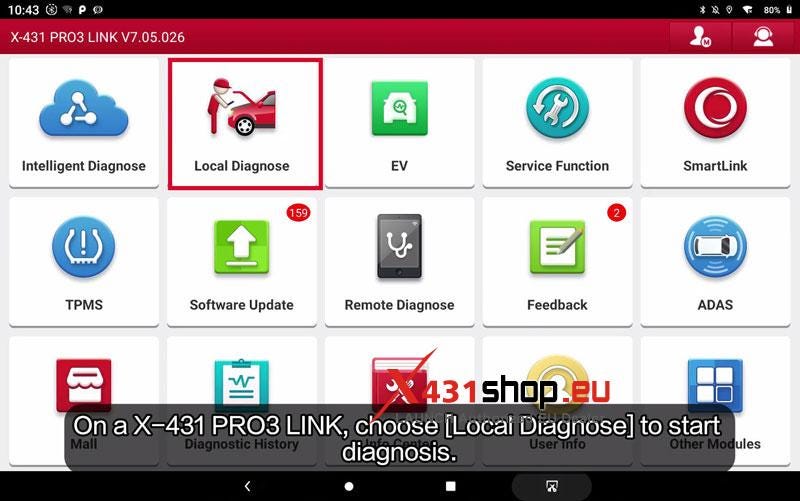
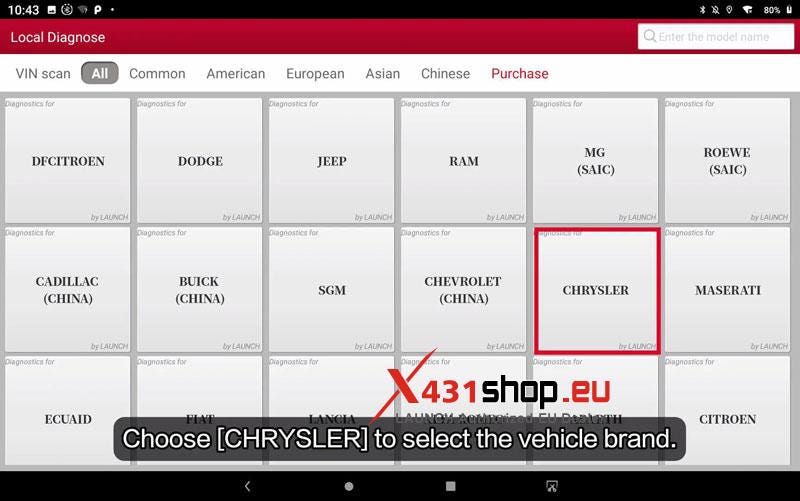
- Go to Local Diagnose → CHRYSLER → OK → Automatically Search.
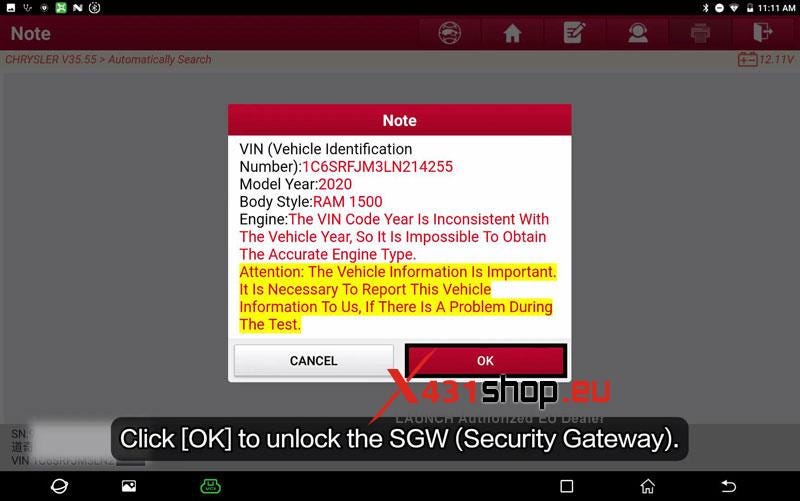
- Keep the scanner connected to the network and make sure the login is working normally. Read the prompt and tap OK.
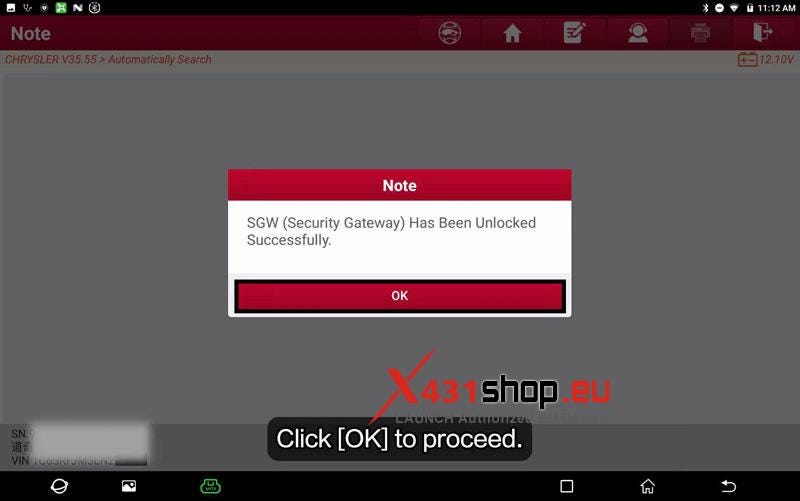
- When prompted, tap OK to unlock the SGW (Security Gateway). Continue after the scanner confirms that the SGW has been unlocked successfully.
Access the SCR Reset Function
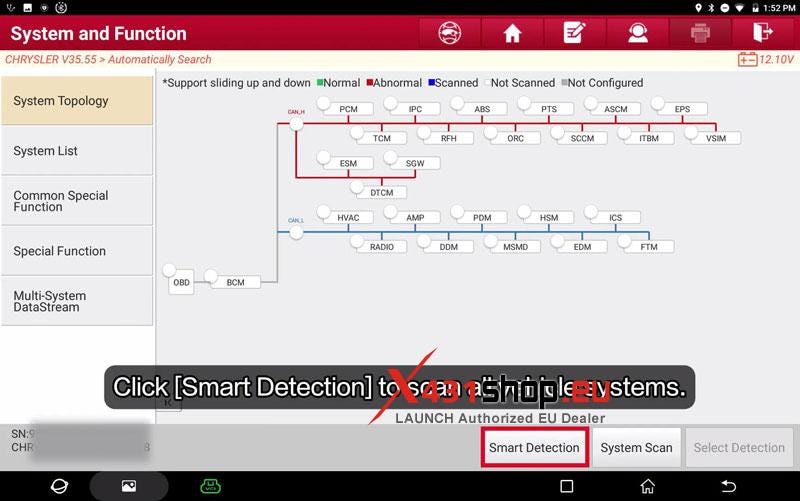
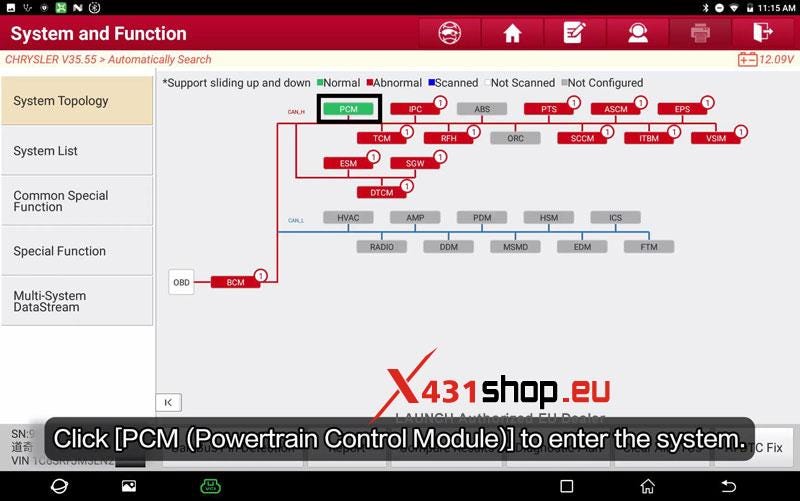
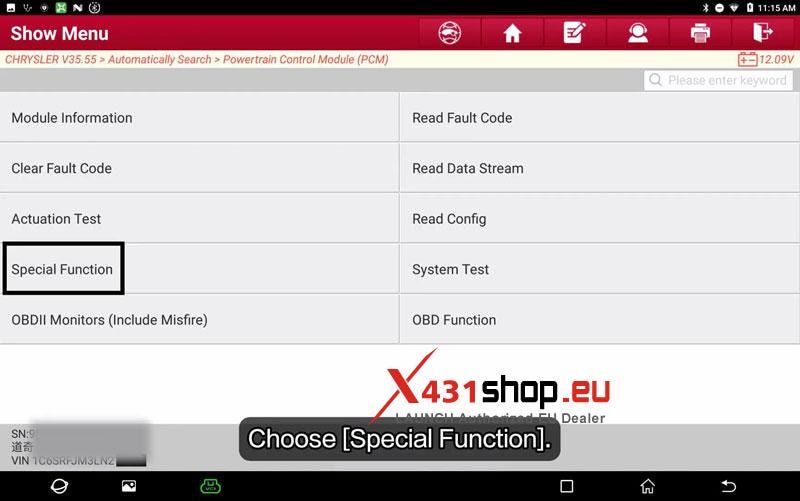
- Open Smart Detection → PCM (Powertrain Control Module) → Special Function.
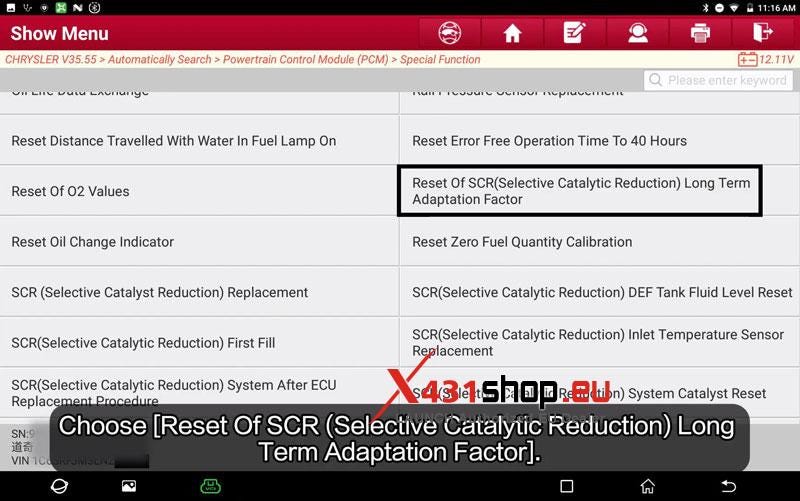
- Select Reset Of SCR (Selective Catalytic Reduction) Long Term Adaptation Factor.
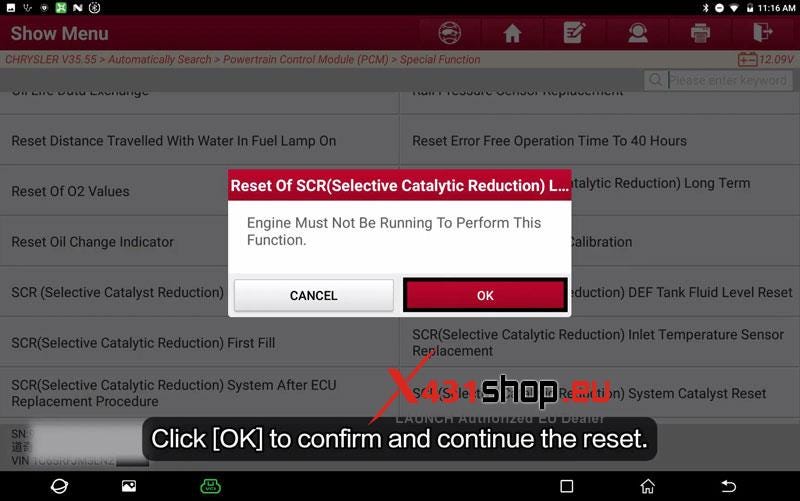
- Read the function prompt and tap OK. The engine must not be running while performing this function.
Reset the Adaptation Factor
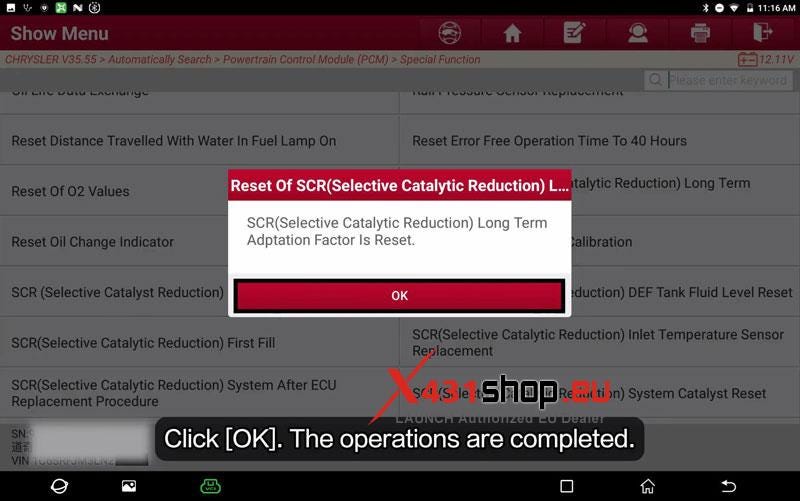
The X431 PRO3S scanner will reset the SCR Long Term Adaptation Factor. Wait for the operation to finish and confirm that the reset has completed successfully.
Verification
Start the vehicle and confirm that it starts normally and the basic vehicle functions operate as expected.
Workshop Notes
This routine is intended for use after flashing new software or when specified by a technical service bulletin.


Comments
Post a Comment