LAUNCH X431 Tool: TPMS Calibration on Trumpchi GS4 PLUS
The LAUNCH X431 diagnostic tool can perform a simple sensor ID calibration function when replacing tire pressure sensors (if performing functions such as tire pressure monitoring, a TPMS tool such as i-TPMS/CRT5011 V2 is still required). This article will describe how to perform tire pressure sensor ID calibration on a 2022 Trumpchi GS4 PLUS using the LAUNCH X431 PRO3 V+ ELITE.
Function Description:
This function is used for the following situations on the Trumpchi GS4 PLUS 2022:
1. The diagnostic device detects: DTCs.related to TPMS sensor faults and uncalibrated tire pressures.
2. Rematching TPMS sensors after tire replacement, etc.
Tested Model:
2022 — Trumpchi — GS4 PLUS
Supported equipment: LAUNCH X431 PRO series, X431 PRO3 series, X431 PRO5 and X431 PAD series, the current one for Demo is X431 PRO3 V+ ELITE.
Execution Conditions:
- Connector connected, ignition switch ON, engine OFF.
- Diagnostic tool connected to the network.
Operation Procedure:
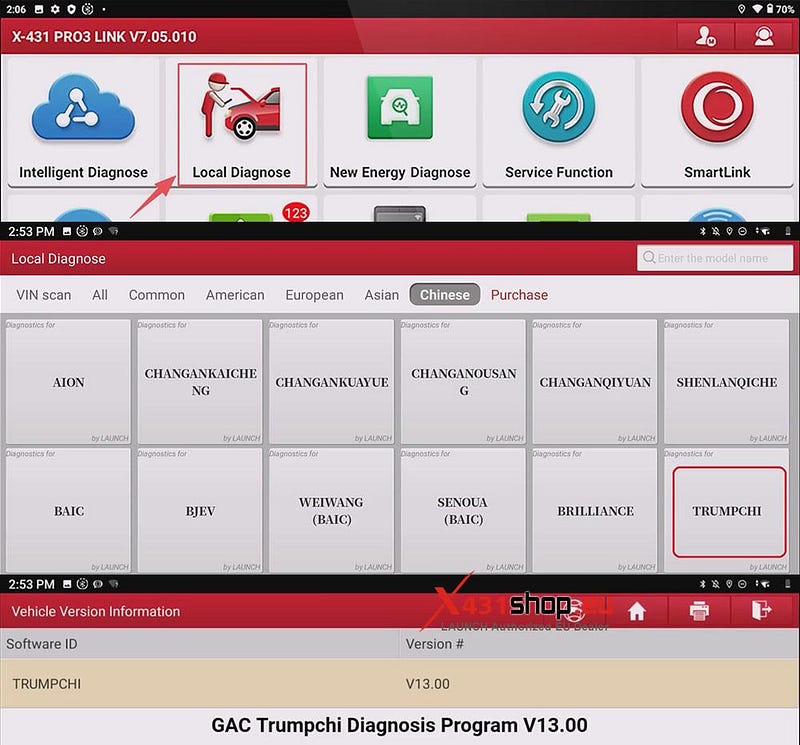
1) Choose [Local Diagnose] -> [TRUMPCHI]. TRUMPCHI diagnostic software version V13.00 or higher is recommended.
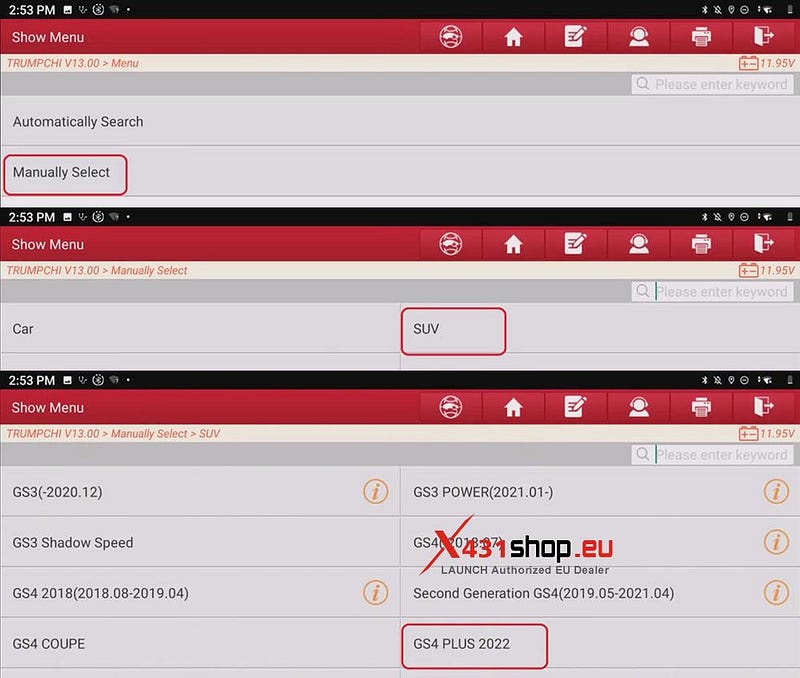
2) We will manually select the vehicle model. Click in sequence: [Manually Select] -> [SUV] -> [GS4 PLUS 2022].
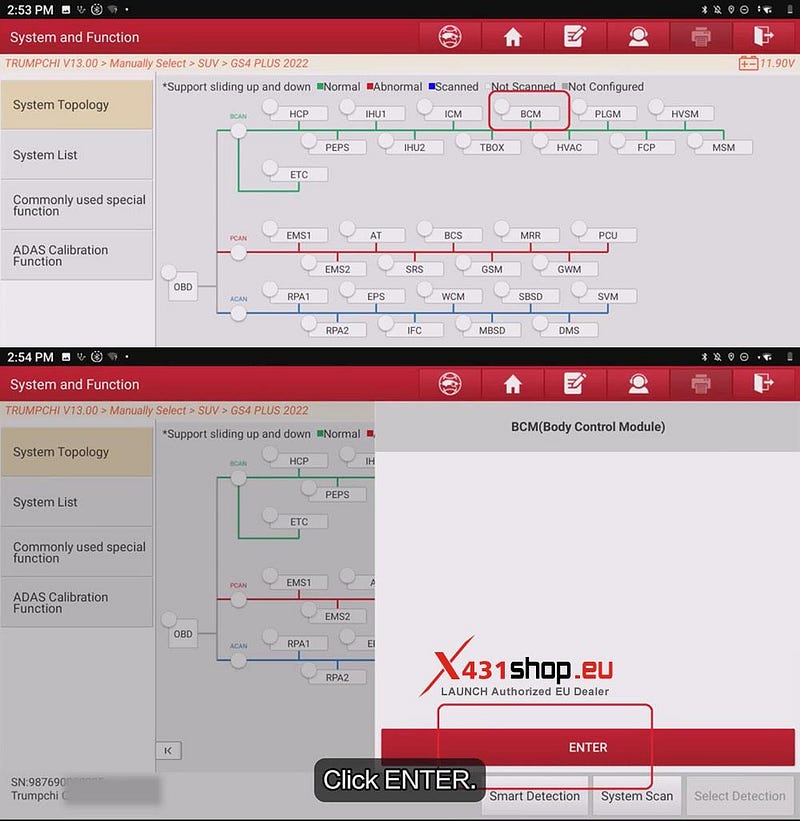
3) In the topology diagram interface, select [BCM], and click [ENTER] to enter the function menu.
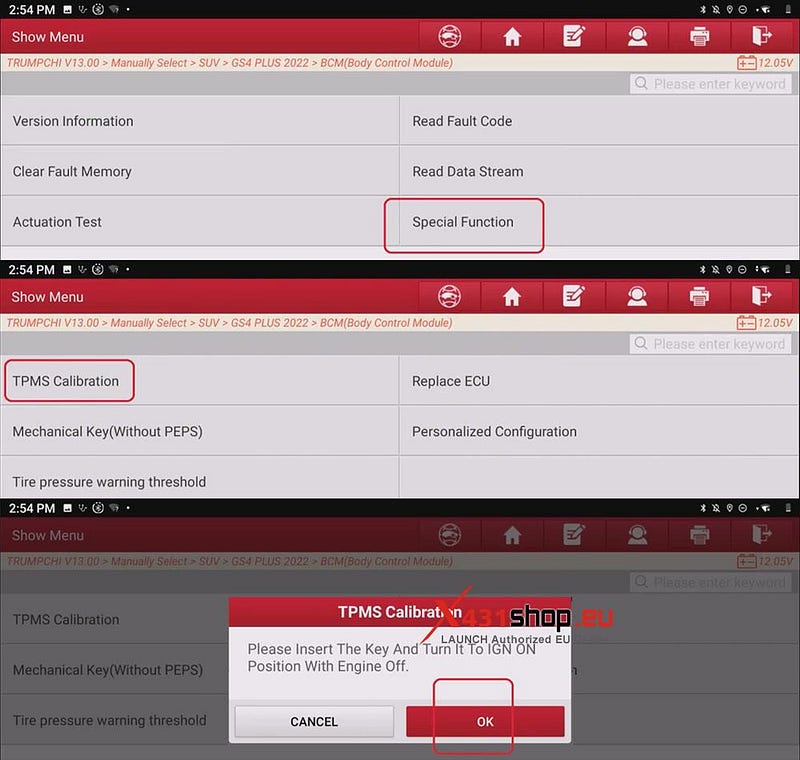
4) Choose [Special Function] -> [TPMS Calibration]. If the conditions are met, click [OK].
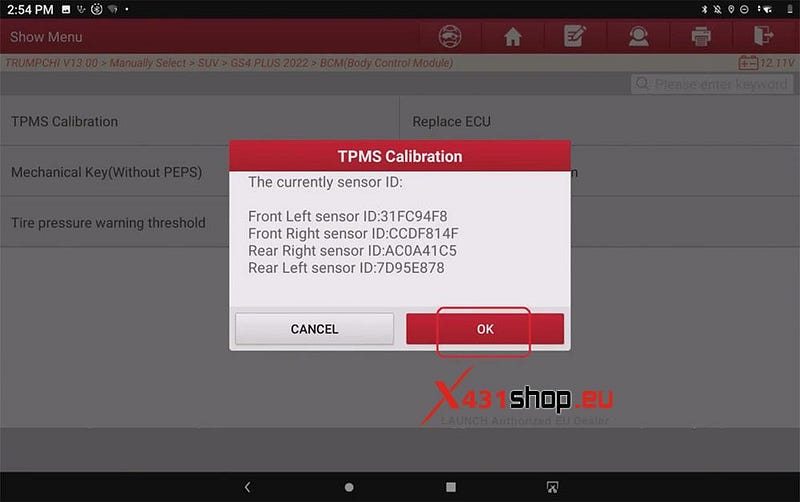
5) The X431 tool will display the currently recorded sensor IDs; click [OK].
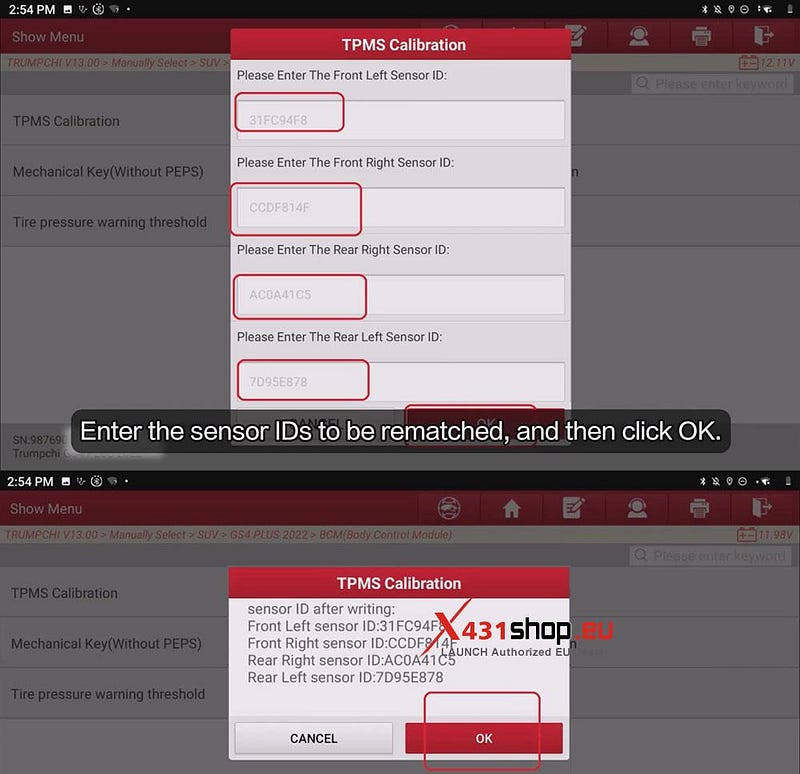
6) Enter the sensor IDs to be rematched, and then click [OK]. The system will display the new sensor ID numbers; after verifying their correctness, click [OK].
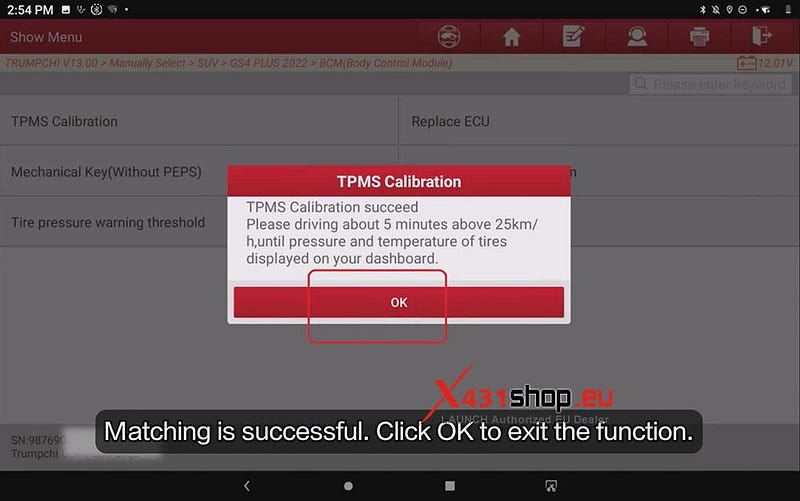
Matching is successful. Click [OK] to exit the function. Please drive for about 5 minutes above 25 km/h until the tire pressure and temperature are displayed on your dashboard.


Comments
Post a Comment