LAUNCH X431 Tool Forward-facing Radar Calibration on Suburban
This article outlines the procedure for performing forward radar calibration on GM Chevrolet vehicles using the LAUNCH X431 tool.
Calibration for automotive forward-facing radar (millimeter-wave radar) falls into two categories: automatic road-test calibration and professional static calibration. The primary objective is to correct detection angle deviations caused by collisions, repairs, or modifications.
Automatic Road-Test Calibration (Self-learning): This method is suitable for cases where the sensor has not been removed but functionality is limited due to software resets or minor interference. The vehicle must be driven on a flat road at speeds between 40 and 100 km/h for several kilometers; the system automatically adjusts parameters by comparing them against real-world driving data. During this process, radar detection range may be restricted, so the use of dependent features — such as Adaptive Cruise Control (ACC) — is not recommended.
Professional Static Calibration (Forced Calibration): This method is required following radar sensor replacement, front bumper removal, collision repairs, or wheel alignment adjustments. It necessitates the use of a professional automotive diagnostic tool and an ADAS calibration target board. The radar’s azimuth and elevation angles must be adjusted — and reference data written to the system — in an indoor environment or on a level surface.
Function Description:
This function is required after removing, reinstalling, or replacing the forward radar sensor, during collision repair, wheel alignment, suspension adjustment, module programming, or when radar calibration-related DTCs are triggered.
NOTE: If the instrument panel displays "Radar Limited," first clean the radome surface. If cleaning is ineffective and no repairs have been performed, the problem may be due to a faulty internal radar component. In this case, the component needs to be replaced, not calibrated.
Tested Model: 2023 — GM Chevrolet — Suburban
Devices supporting this function: LAUNCH X431 PRO series, X431 PRO3 series, X431 PRO5, and X431 PAD series.
Tool used: LAUNCH X431 PRO3 V+ ELITE
Operation Procedure:
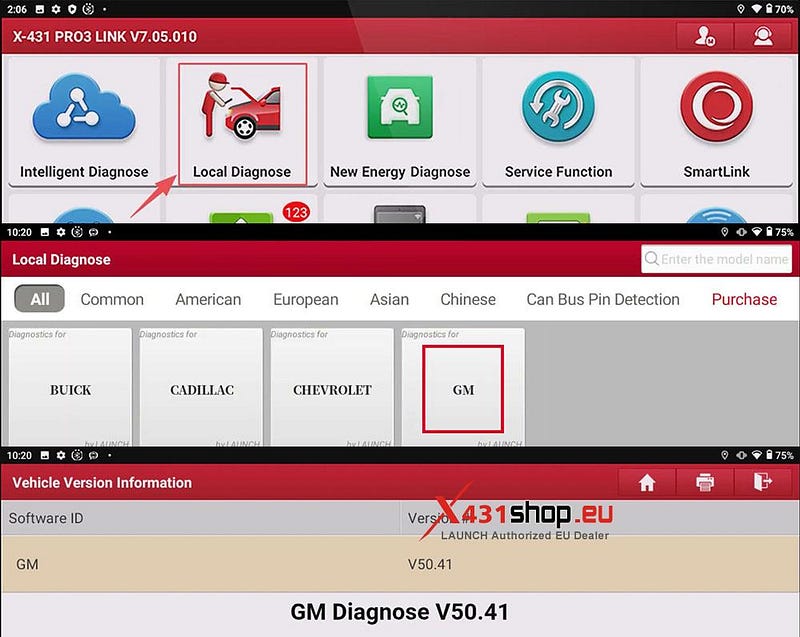
1) Connect the X431 tool to the vehicle. Open the X-431 APP, choose [Local Diagnose] -> [GM].
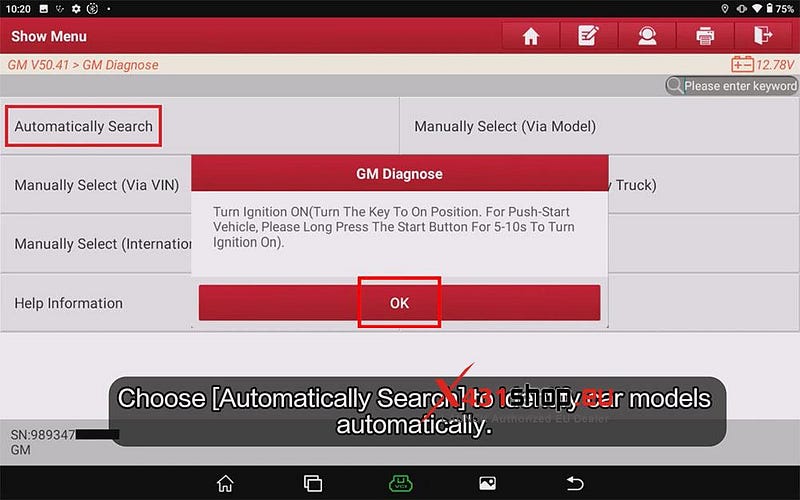
2) Choose [Automatically Search] to automatically identify car models. Turn Ignition ON (Turn the Key To On Position. For push-start vehicles, please press the Start Button for 5–10 seconds to turn Ignition ON). Click [OK].
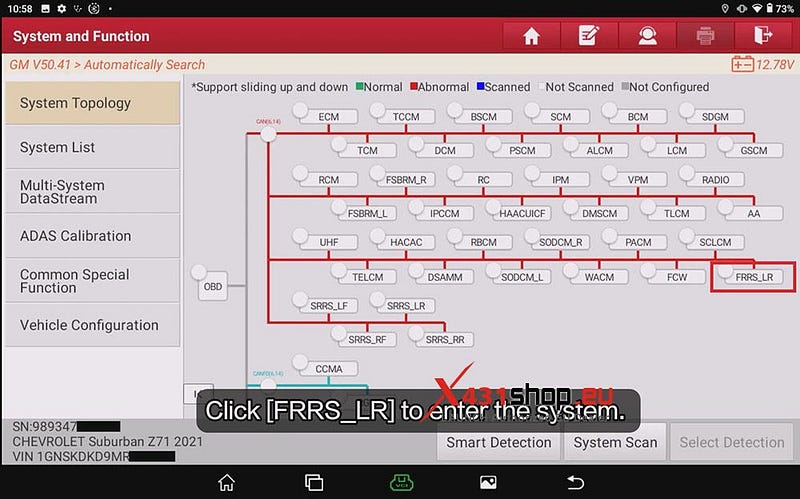
3) Confirm vehicle information, click [OK] to continue to the next step. On the topology map, click [FRRS_LR] and click [ENTER] to enter the system.
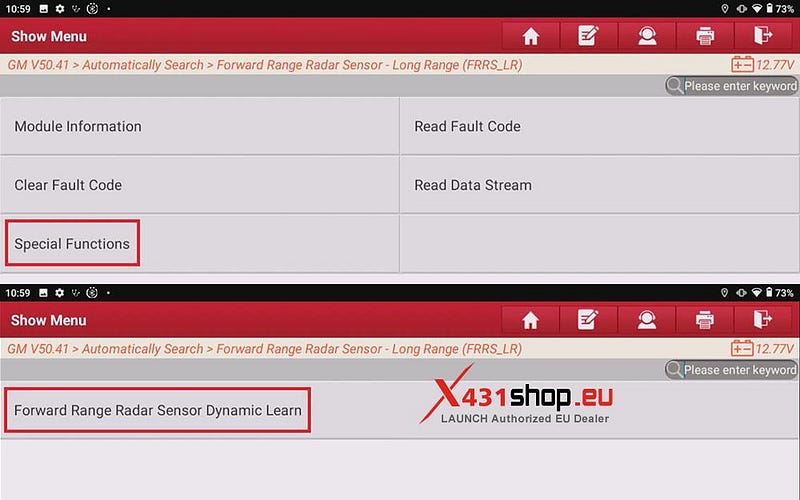
4) Click [Special Functions] -> [Forward Range Radar Sensor Dynamic Learn]. Confirm the applicable scenarios as prompted. Click [OK].
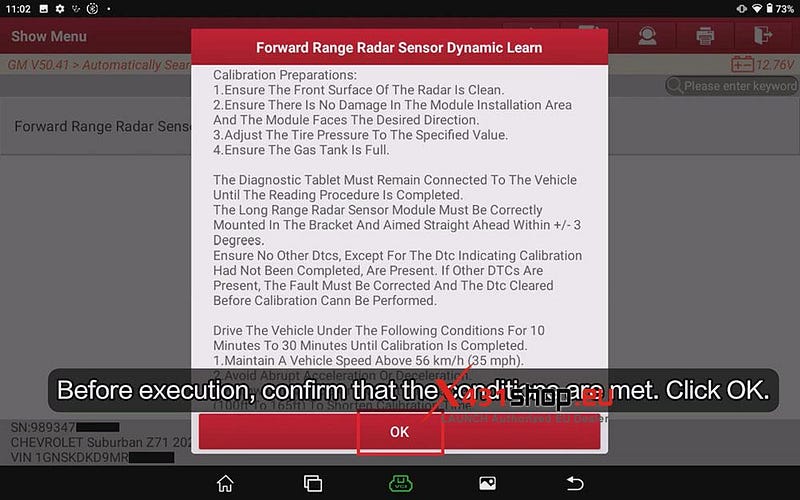
5) Before execution, confirm that the conditions are met. Click [OK].
Calibration Preparations:
1. Ensure The Front Surface Of The Radar Is Clean.
2. Ensure There Is No Damage In The Module Installation Area And The Module Faces The Desired Direction.
3. Adjust The Tire Pressure To The Specified Value.
4. Ensure The Gas Tank Is Full.
The Diagnostic Tablet Must Remain Connected To The Vehicle Until The Reading Procedure Is Completed.
The Long Range Radar Sensor Module Must Be Correctly Mounted In The Bracket And Aimed Straight Ahead Within +/-3 Degrees.
Ensure No Other Dtcs, Except For The Dtc Indicating Calibration Had Not Been Completed, Are Present. If Other DTCs Are Present, The Fault Must Be Corrected And The Dtc Cleared Before Calibration Cann Be Performed.
Drive The Vehicle Under The Following Conditions For 10 Minutes To 30 Minutes Until Calibration Is Completed.
1. Maintain A Vehicle Speed Above 56 km/h (35 mph).
2. Avoid Abrupt Acceleration Or Deceleration.
3. Follow One Vehicle Or More At A Distance Of 30m To 50m(100ft To 165ft) To Shorten Calibration Time.
4. Drive Straight Ahead On A Road With Stationary Objects Such As Street Signs, Guard Rails, Mail Boxes Or Parked Vehicles On The Side.
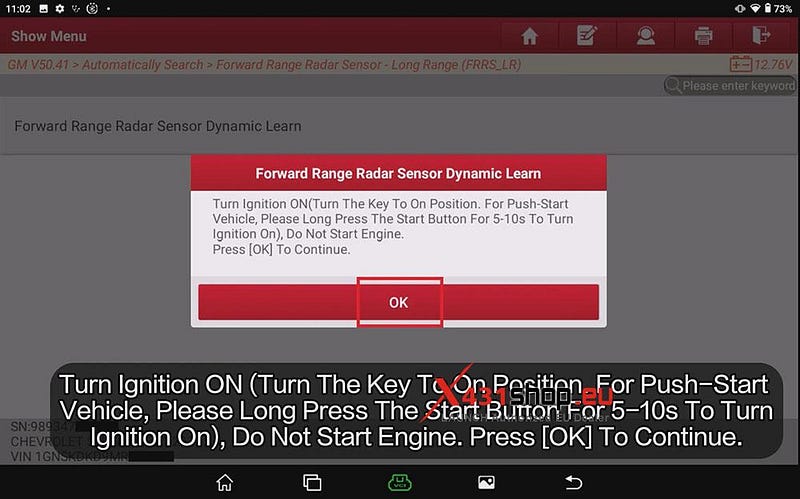
6) Turn Ignition ON (Turn The Key To On Position. For Push-Start Vehicle, Please Long Press The Start Button For 5–10s To Turn Ignition On), Do Not Start Engine. Press [OK] To Continue.
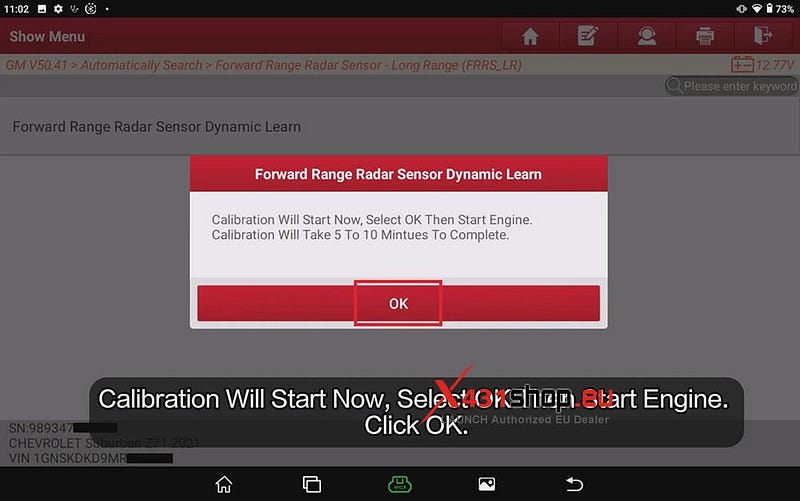
7) Calibration Will Start Now, Select OK Then Start Engine. Click [OK].
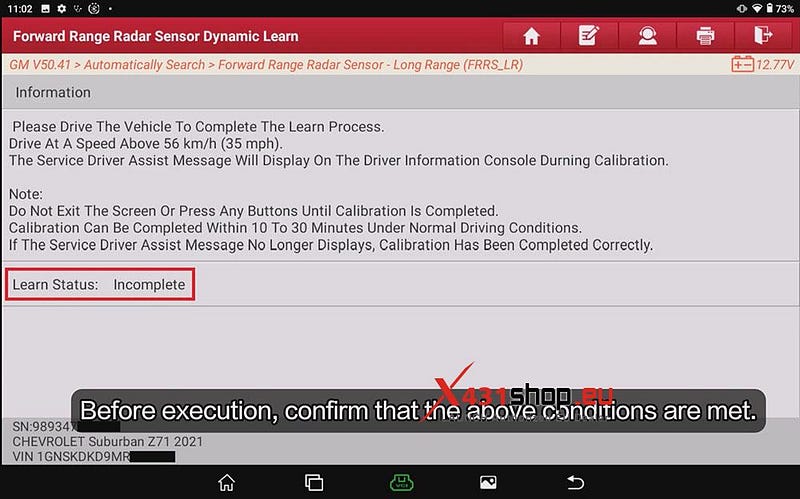
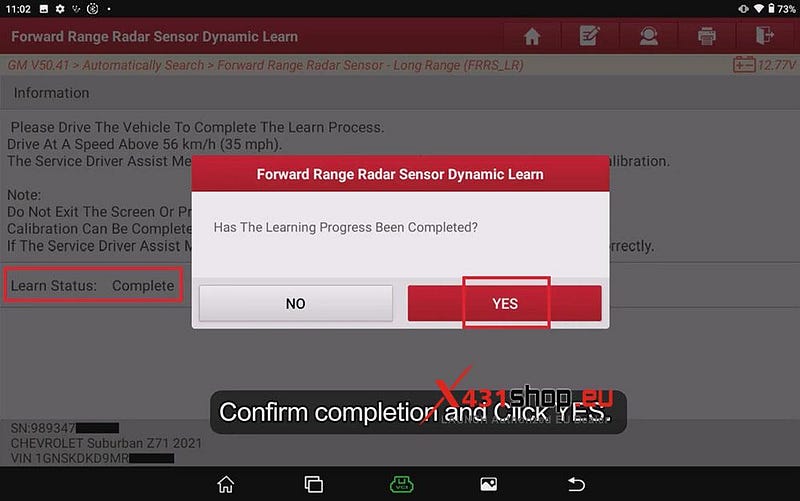
8) Please Drive The Vehicle To Complete The Learn Process.
Drive At A Speed Above 56 km/h (35 mph).
The Service Driver Assist Message Will Display On The Driver Information Console Durning Calibration.
Note: Do Not Exit The Screen Or Press Any Buttons Until Calibration Is Completed.
Calibration Can Be Completed Within 10 To 30 Minutes Under Normal Driving Conditions.
If The Service Driver Assist Message No Longer Displays, Calibration Has Been Completed Correctly.
9) Confirm completion and Click [YES].


Comments
Post a Comment