LAUNCH X431 PAD: Adjust Target Ignition Timing on Nissan X-TRAIL
The LAUNCH X431 diagnostic tool supports resetting or adjusting the ignition timing of the vehicle’s engine control module. This article will use the LAUNCH X431 PAD9 as an example to introduce how to adjust the Target Ignition Timing on the 2023 Nissan X-TRAIL.
Function Description:
- This function is used to reset or adjust the ignition timing values within the ECM (Engine Control Module), and calibrate the ignition timing data to the target reference to ensure ignition accuracy under all operating conditions.
- Perform this function to calibrate ignition timing and re-establish the correlation between mechanical timing and ECU ignition reference after replacing timing system components.
- Use this function to restore default ignition timing settings and allow the ECU to relearn the current mechanical timing characteristics of the engine after ECM replacement, reprogramming or reset.
- Run this function for ignition timing calibration when the diagnostic tool retrieves DTCs related to ignition timing adjustment.
Supported equipment: LAUNCH X431 PRO series, X431 PRO3 series, X431 PRO5, and X431 PAD series.
Tested Model: Nissan — X-TRAIL — 2023
Before executing the function, please ensure that:
- Engine status: Ignition ON, engine running at idle.
- Engine temperature: Ensure that the engine has been fully warmed up to normal operating temperature before executing this function.
- Vehicle load: Turn off all unnecessary-electrical loads (such as NC and lights) during execution to prevent voltage fluctuations and additional engine load interference.
- This function is not required for routine maintenance. Only perform it after replacing timing system parts, replacing, reprogramming or resetting the ECM, or when the diagnostic tool retrieves DTCs related to ignition timing adjustment.
Operating procedures:
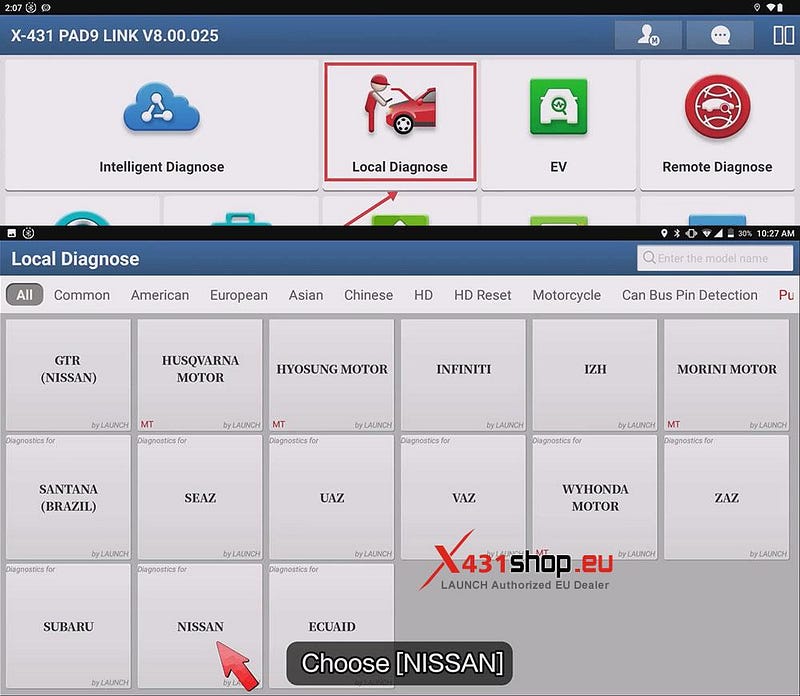
1) Connect the X431 device to the vehicle’s OBD port, then click [Local Diagnose] -> [NISSAN].
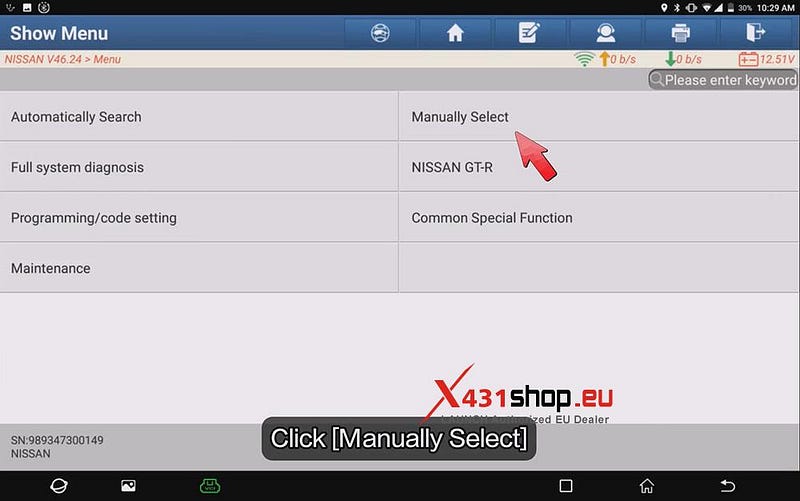
2) After clicking [Manually Select], you will be taken to the corresponding menu page by region and vehicle model. For example, in this case, we will select [Far East] -> [People’s Republic of China] -> [XTRAIL] -> [T33] -> [10/2023] in sequence.
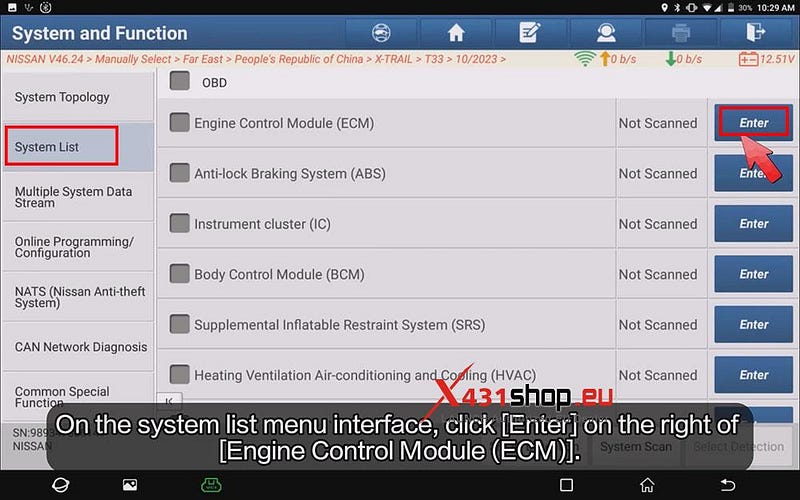
3) After entering the topology diagram page, click [System List]. On the system list menu interface, click [Enter] on the right of [Engine Control Module (ECM)].
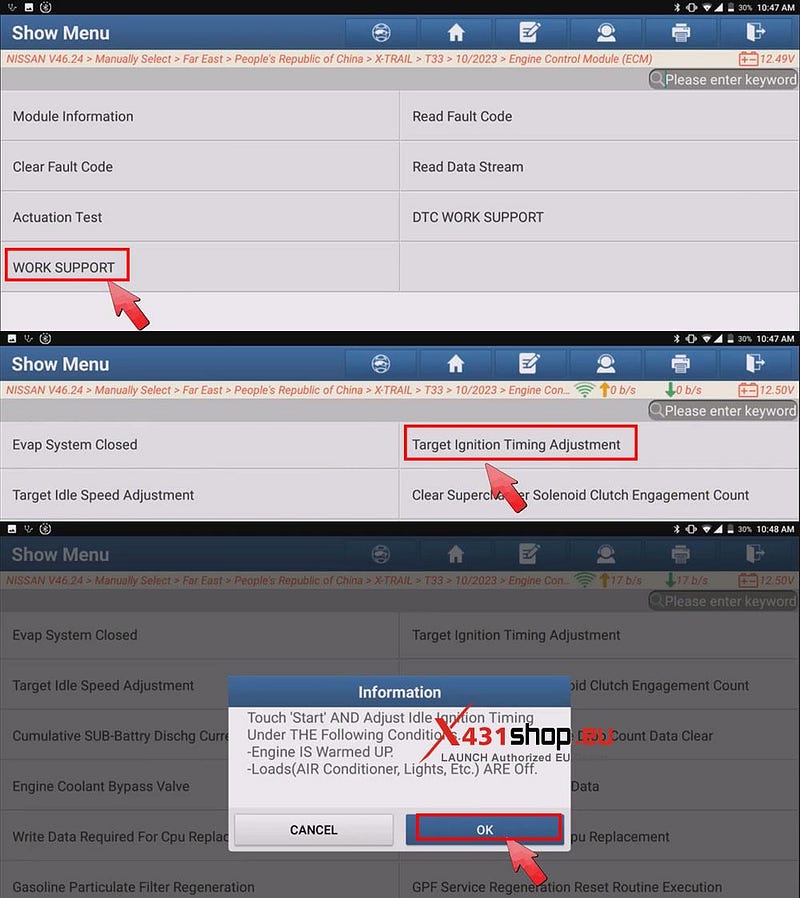
4) Click [WORK SUPPORT] -> [Target Ignition Timing Adjustment]. Read the pop-up prompts carefully. Ensure the engine is fully warmed up and all unnecessary electrical loads are turned off. Click [OK].
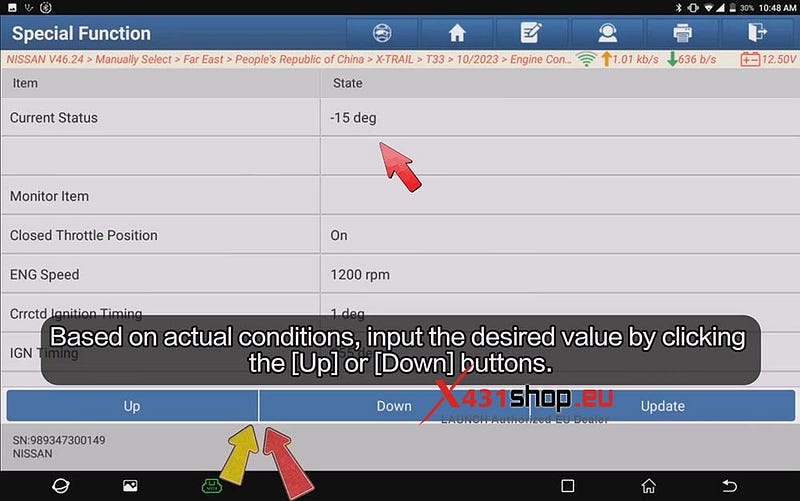
5) Based on actual conditions, input the desired value by clicking the [Up] or [Down] buttons.
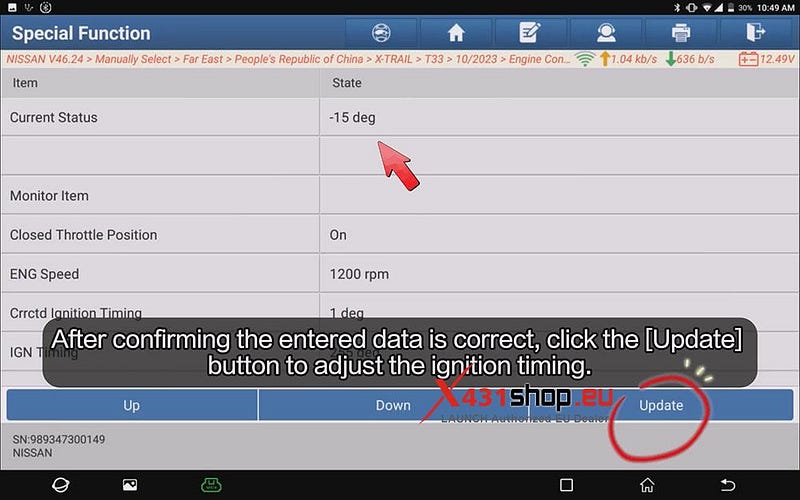
6) After confirming the entered data is correct, click the [Update] button to adjust the ignition timing.
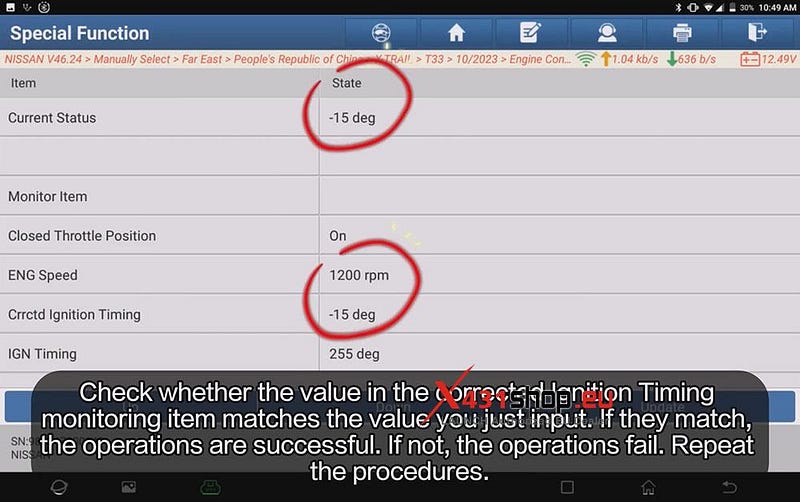
7) Check whether the value in the corrected Ignition Timing monitoring item matches the value you just input. If they match, the operations are successful. If not, the operations fail. Repeat the procedures.


Comments
Post a Comment