LAUNCH X431 IMMO PLUS Add Keys for 2023 Toyota Venza
This article will show you how to add a new key (BA/4A Disassembly Mode) to a 2023 Toyota Venza using the LAUNCH X431 IMMO PLUS.
NOTE: This process requires a Toyota BA/4A cable harness (also known as the Toyota 30-pin harness or TOY30 cable). LAUNCH does not manufacture this harness; any third-party brand harness can be used.
Operation procedure:
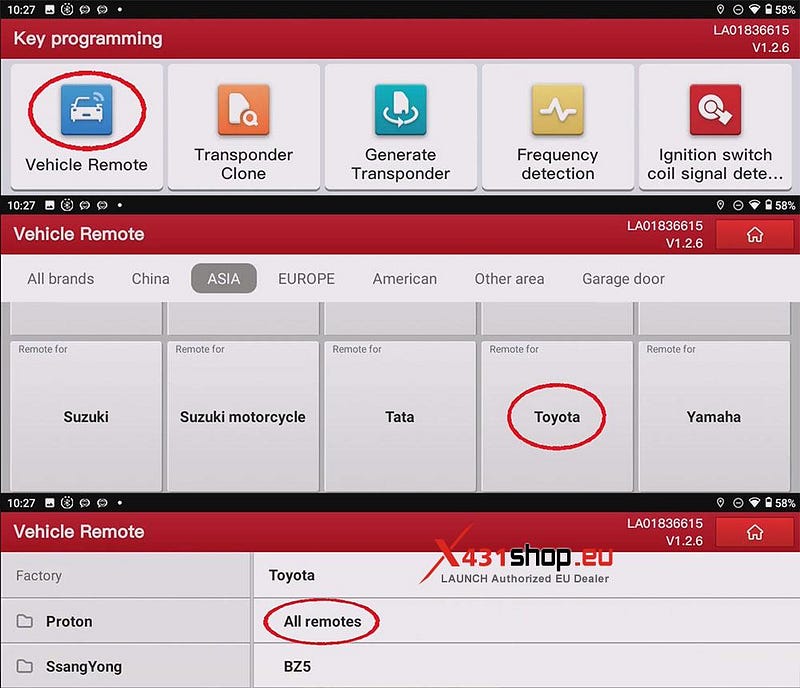
1) In the X431 IMMO PLUS software, navigate to the following menu: [Vehicle Remote] -> [Toyota] -> [All remotes].
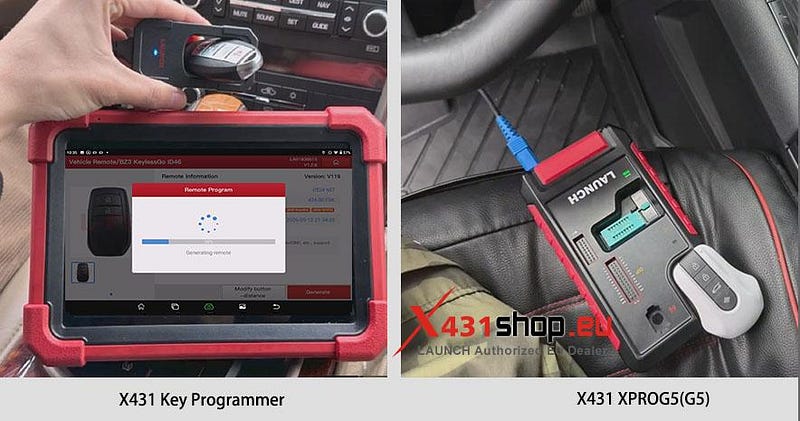
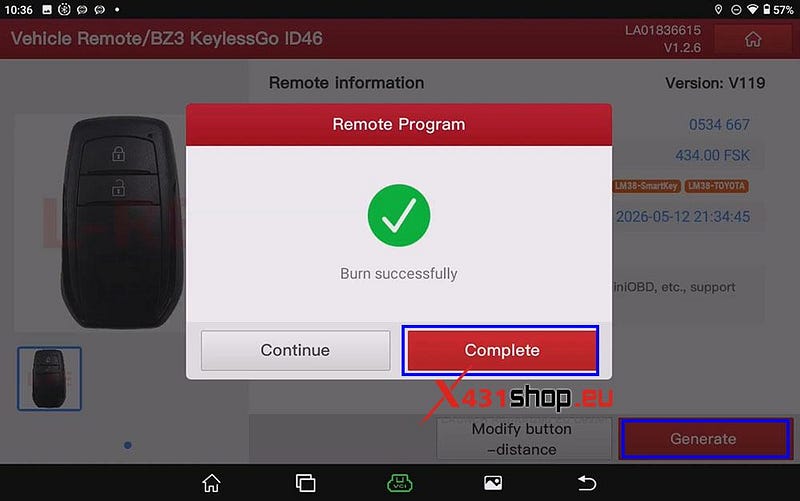
2) Click [Generate], put the new key you want to add into the XPROG5 / X431 Key Programmer, and wait for the key generation process to complete.
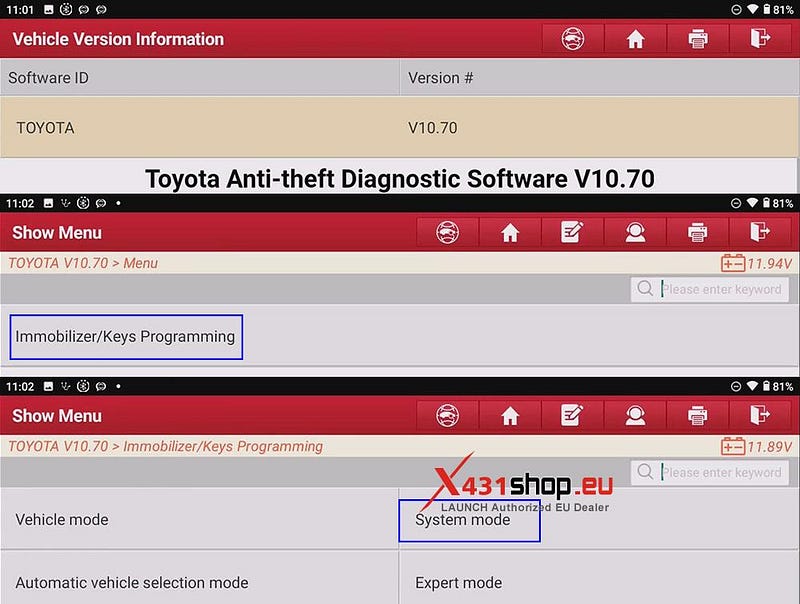
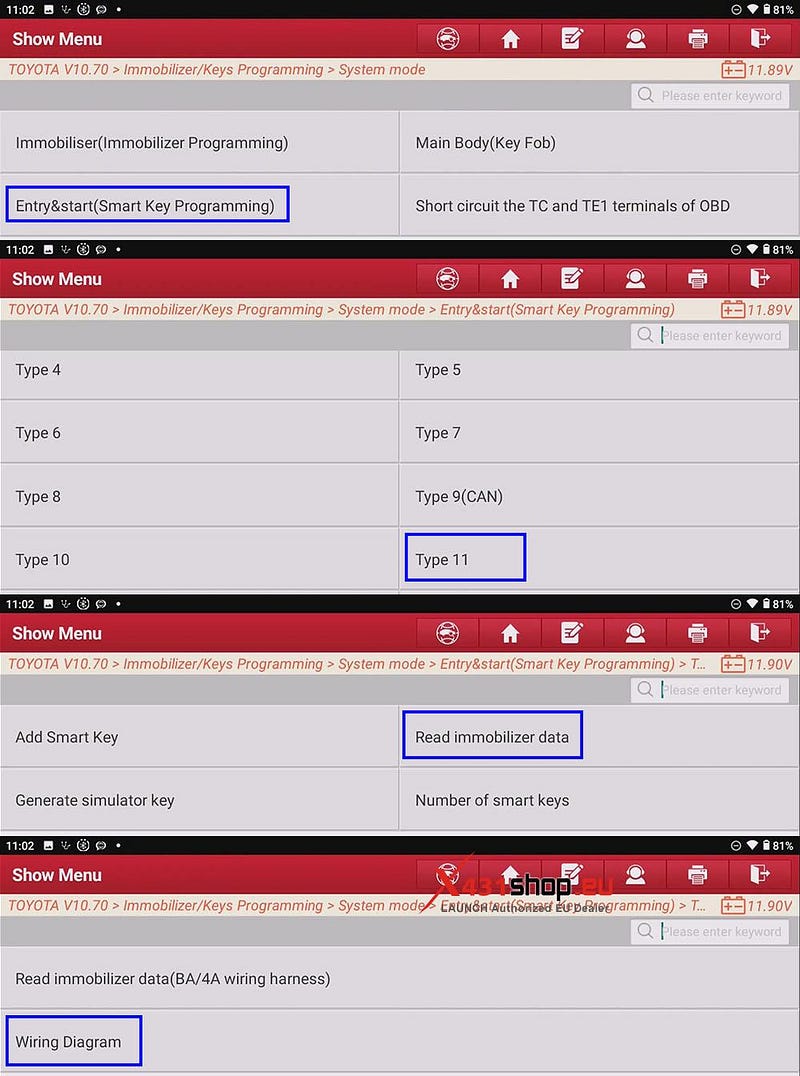
3) Begin key programming. Ensure your Toyota Anti-theft Diagnostic Software version is V10.70 or higher. Click [Immobilizer/Keys Programming] -> [System mode] -> [Entry & start (Smart Key Programming)] -> [Type 11] -> [Read immobilizer data] -> [Wiring Diagram].
4) Connect as shown in the diagram below (BA/4A cable harness connection is required; a third-party cable can be used).
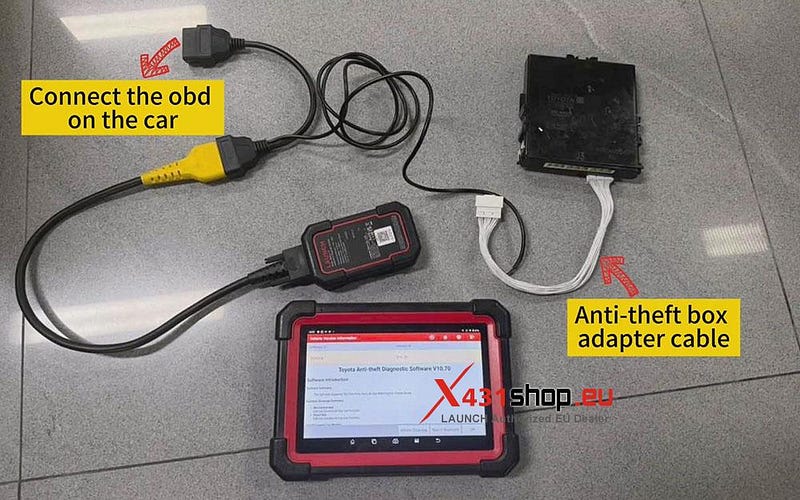
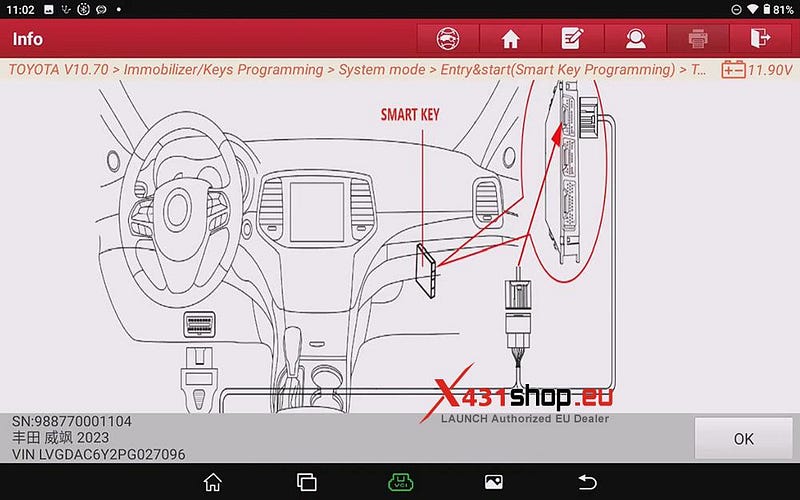
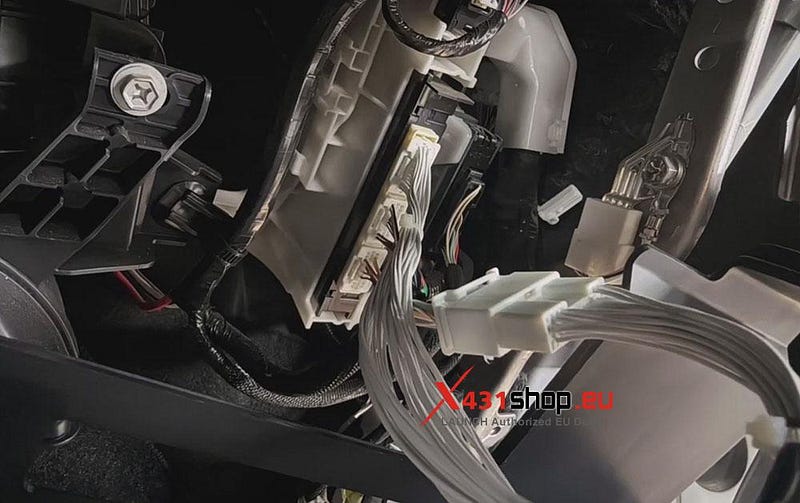
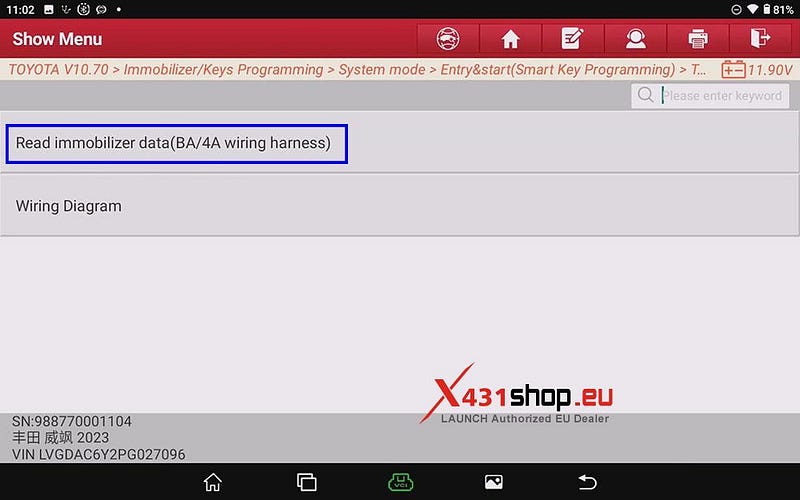
5) Click [Read immobilizer data(BA/4A wiring harness)], and the X431 device will begin reading immobilizer data.
NOTE:
1. This function is used to read the immobilizer data of the vehicle smart box, which can be used to perform immobilizer related functions without passwords.
2. To perform this function, it is necessary to connect to the network. Ensure that the network is good.
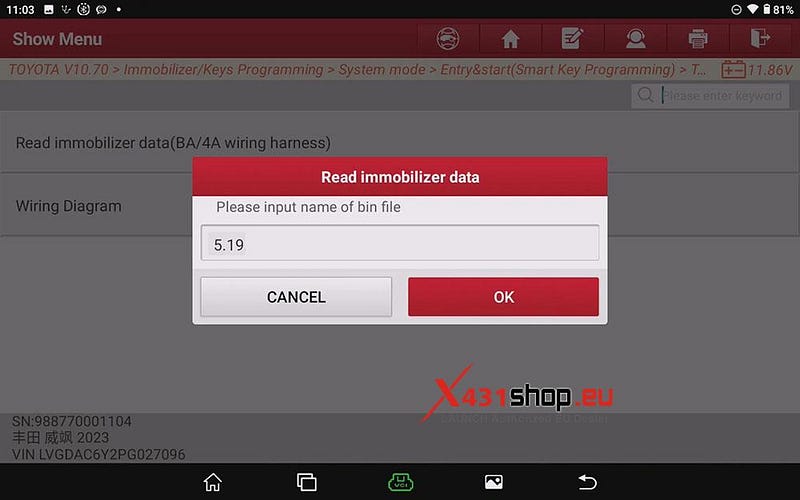
6) After reading, a prompt box will pop up. Enter a custom name and save the read data. For example, in this case, we will name the file "5.19".
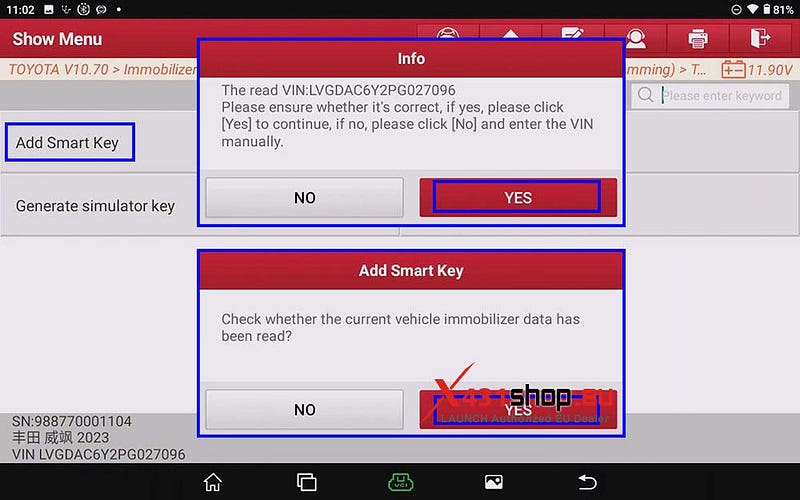
7) Click [Add Smart Key], follow the prompts, and click OK after confirming that everything is correct. (This function is used to match a maximum of 6 keys; corresponding steps must be completed within the specified time.)
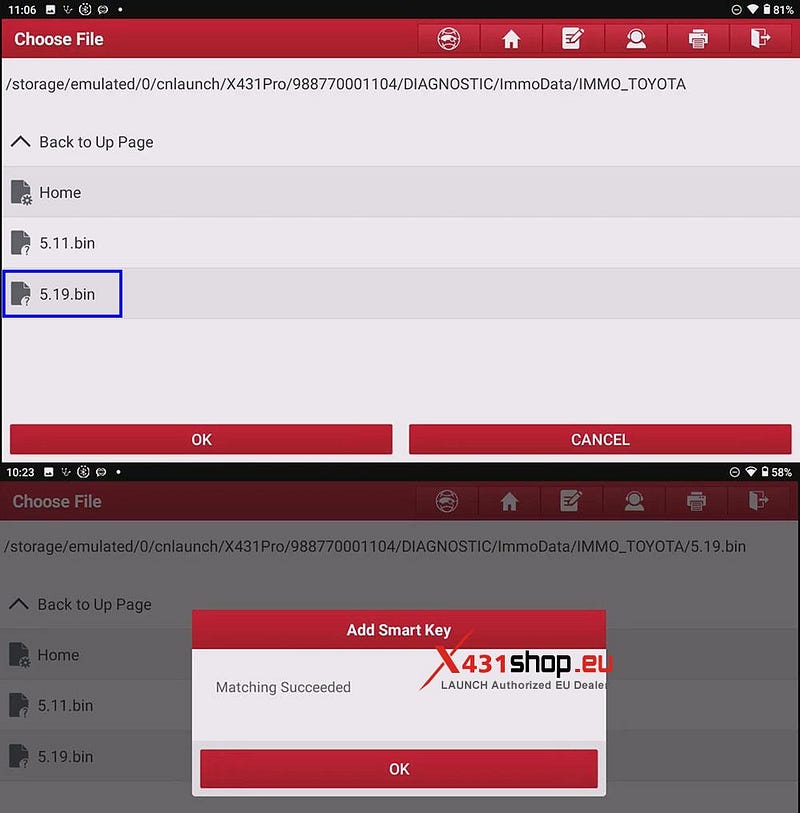
8) Select the anti-theft data file you just read. Wait for the system to display the message "Matching Succeeded". The key has been added successfully, and the task is complete.


Comments
Post a Comment