How to test if truck System Lamp are lit normally with LAUNCH X431?
Most modern trucks perform a brief system self-check on the dashboard when the ignition switch is on (ON) but the engine is not running. If a vehicle malfunctions but the dashboard system lights do not illuminate normally, a specialized diagnostic tool (such as the LAUNCH X431 diagnostic tool) should be used to test and check the Body Control Module (BCM) or lighting controllers.
Tools Used: LAUNCH X431 PAD V ELITE with HD (Truck) Package
Test Vehicle: 2021 Genlyon C6
Operating procedures:
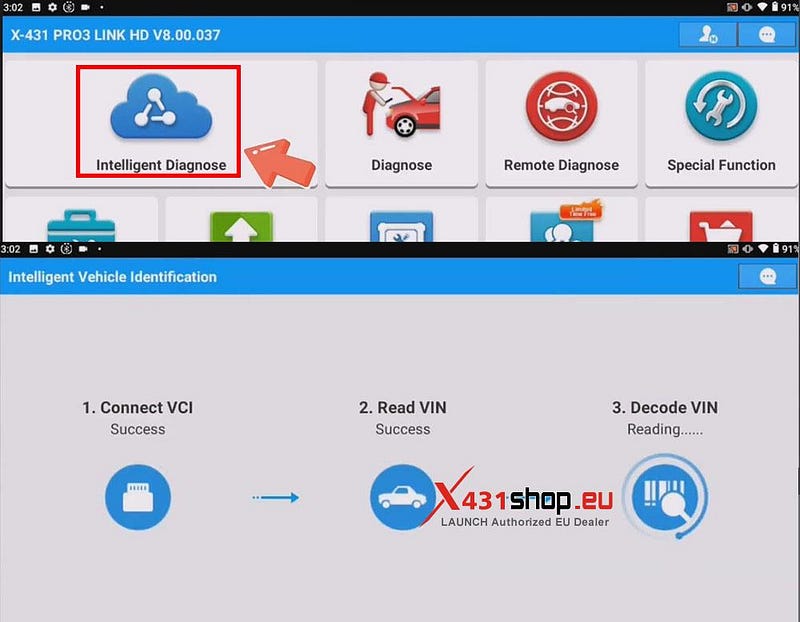
1) Connect the SmartLink HD to the vehicle. On the X431 diagnostic software, select [Intelligent Diagnose]. The X431 device will automatically scan vehicle information. (If the scan fails, you can manually select the vehicle model to enter the diagnostic interface).
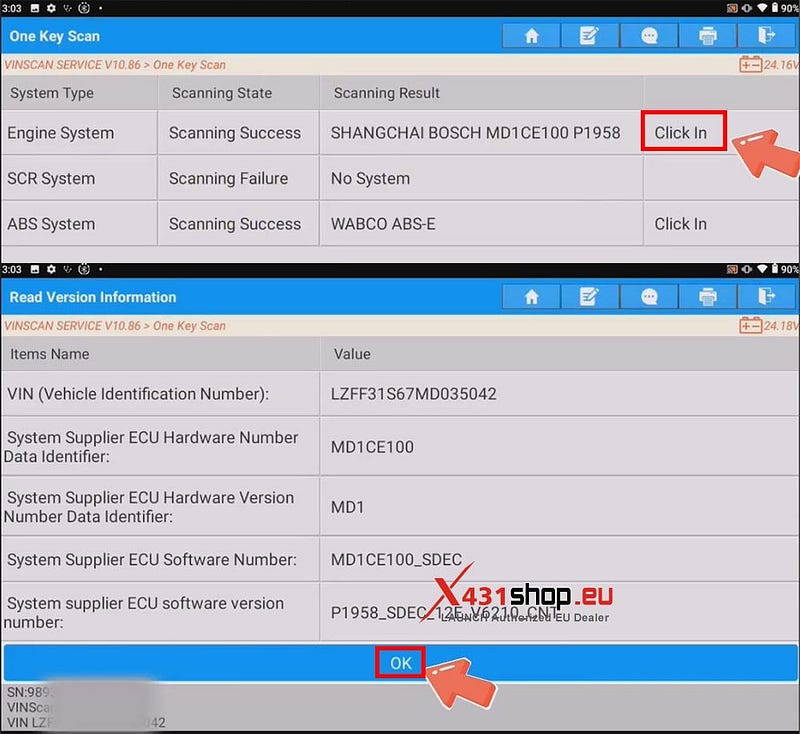
2) Click [Click In] to enter the engine system. Confirm Vehicle Information.
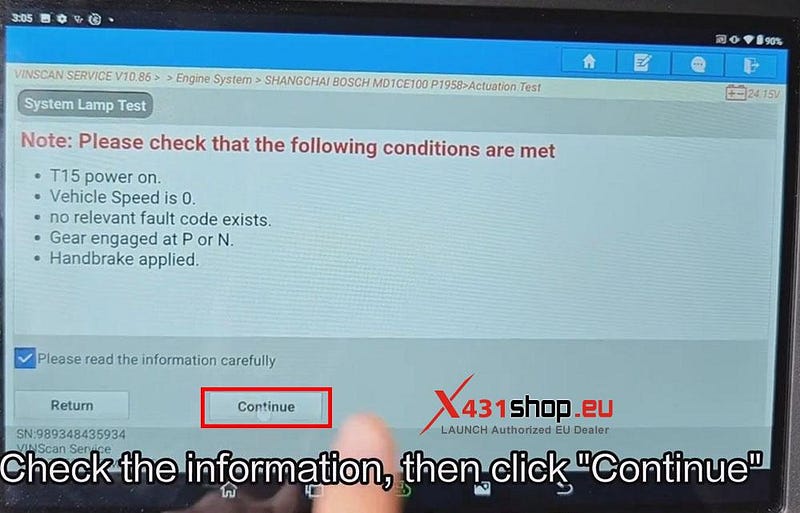
3) Click [Actuation Test] -> [System Lamp Test] in sequence, check the information, then click "Continue".
Note: Please check that the following conditions are met:
- T15 power on.
- Vehicle Speed is 0.
- No relevant fault code exists.
- Gear engaged at P or N.
- Handbrake applied.
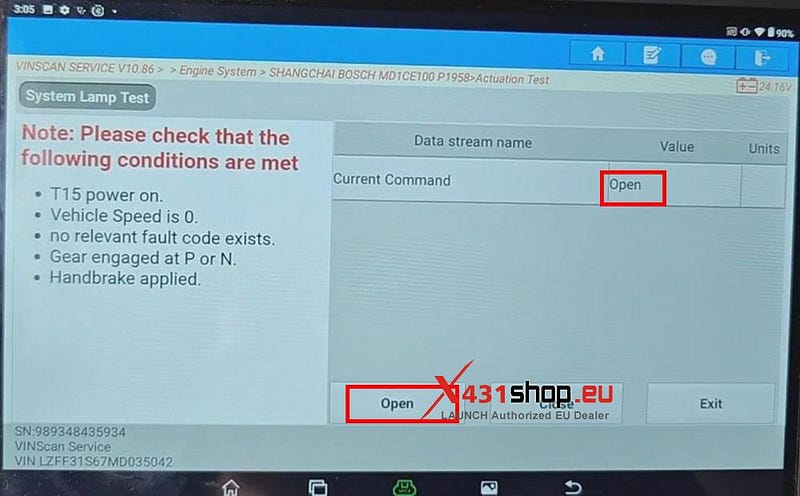
4) Click on "Open" to check if the system light illuminates.
5) Click on "Close" to check if the system light closes normally.
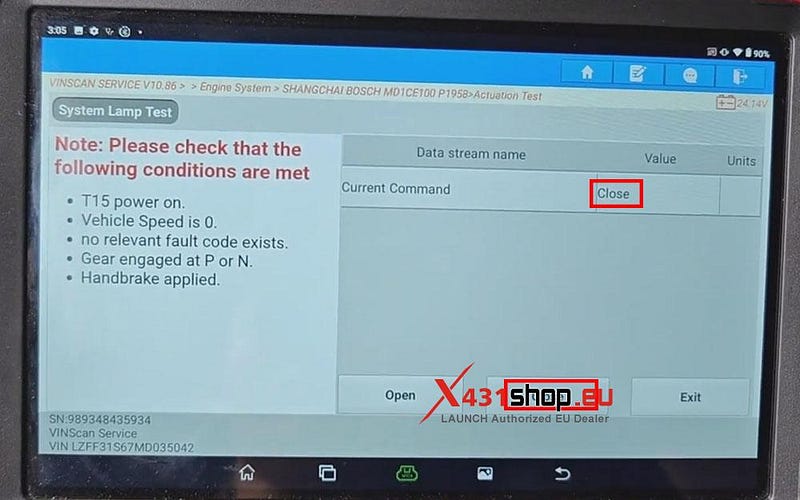
Test complete. If the system light illuminates and closes normally, This indicates that the vehicle’s malfunction indicator light can be illuminated normally.


Comments
Post a Comment