GM Clutch Overheat Counter Reset Using LAUNCH X431 PRO3 V+ ELITE
The transmission clutch overheat counter is a diagnostic function in vehicles (equipped with automatic or dual-clutch transmissions) used to track the number of times the transmission temperature exceeds a specific threshold.
"Resetting the transmission clutch overheat counter" typically refers to clearing the overheating status recorded in the system through specific operations after the transmission has triggered its overheat protection mechanism. This function can be used to restore normal transmission operation after a new transmission has been replaced or the overheat counter has exceeded a certain number of times it has been deactivated. The reset method varies slightly between different vehicle brands, but it can generally be done using the LAUNCH X431 diagnostic tool. In this article, we will use the LAUNCH X431 PRO3 V+ ELITE to reset the transmission clutch overheat counter on a 2021 GM Chevrolet Suburban.
Function Description:
This function needs to be executed when the transfer case hardware is repaired or replaced, or when the transfer case clutch overtemperature protection mechanism is triggered and deactivated.
Tested Model: 2021 — GM Chevrolet — Suburban
Equipment used in this test: LAUNCH X431 PRO3 V+ ELITE
Devices supporting this function: X431 full range of diagnostic tools (including X431 PRO series, PRO3 series, PAD series, CRP919 series).
Operating procedures:
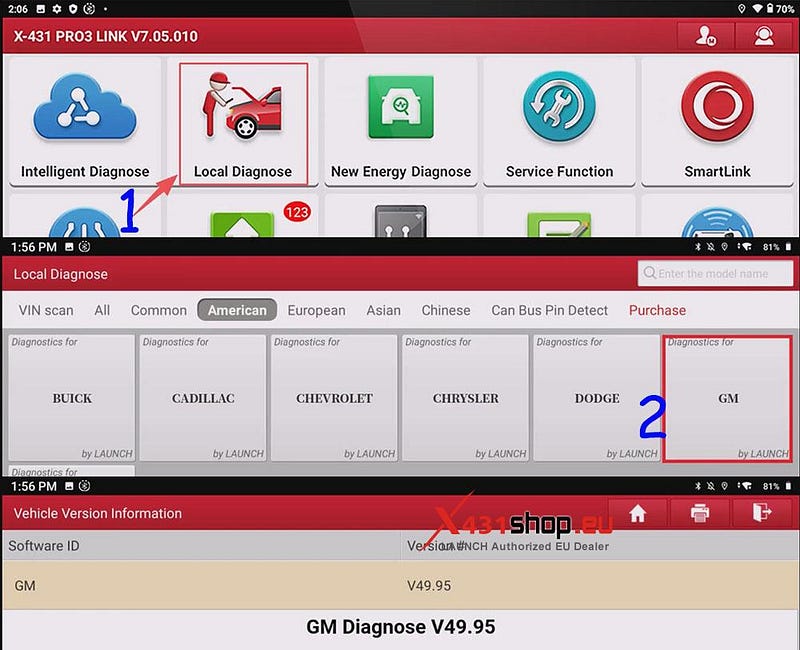
1) When the vehicle is off, connect the SmartLink of the X431 PRO3 V+ ELITE to the vehicle’s OBD port. In the X431 APP, choose [Local Diagnose] -> [GM]. GM software version V49.95 or higher is recommended.
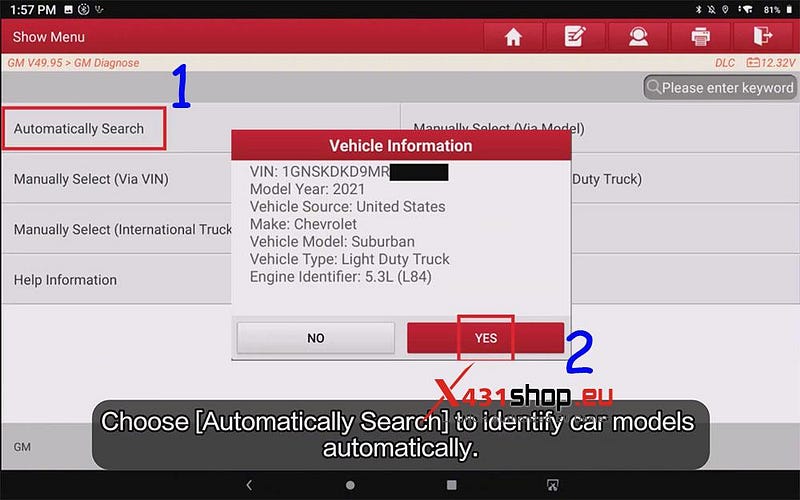
2) Select [Automatically Search] and then click [Yes] to automatically read the Vehicle VIN. Turn Ignition ON(Turn The Key To On Position. For Push-Start Vehicle, Please Long Press The Start Button For 5–10s To Turn Ignition On). After confirming the vehicle information, click [YES] to continue to the next step.
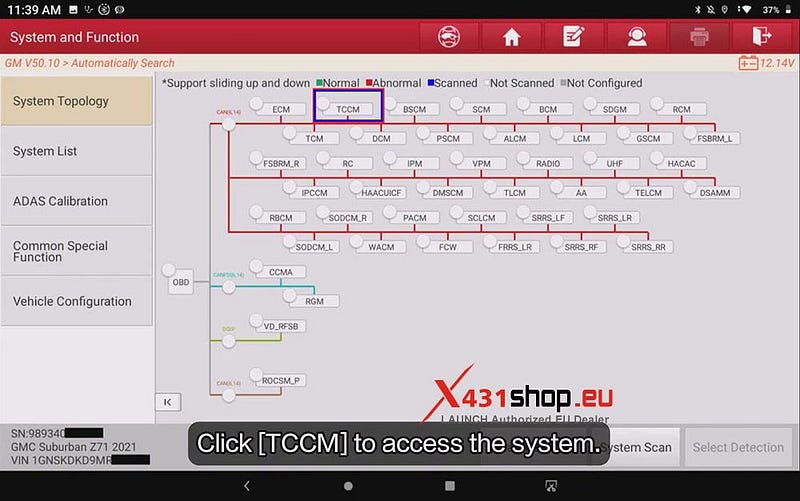
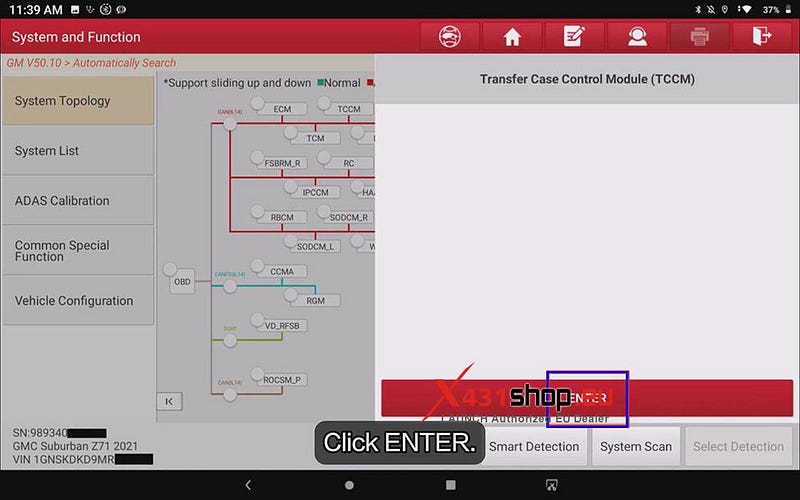
3) Click [TCCM], then press [ENTER] to enter the system.
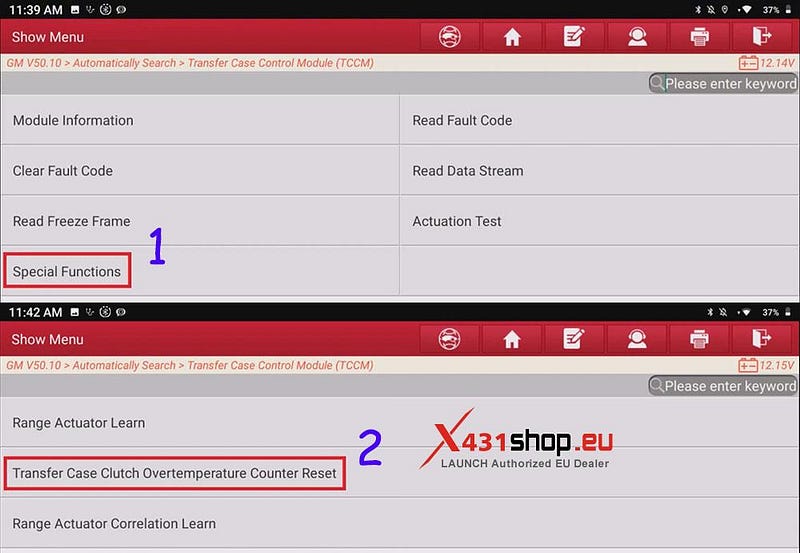
4) Select [Special Functions] -> [Transfer Case Clutch Overtemperature Counter Reset] in sequence.
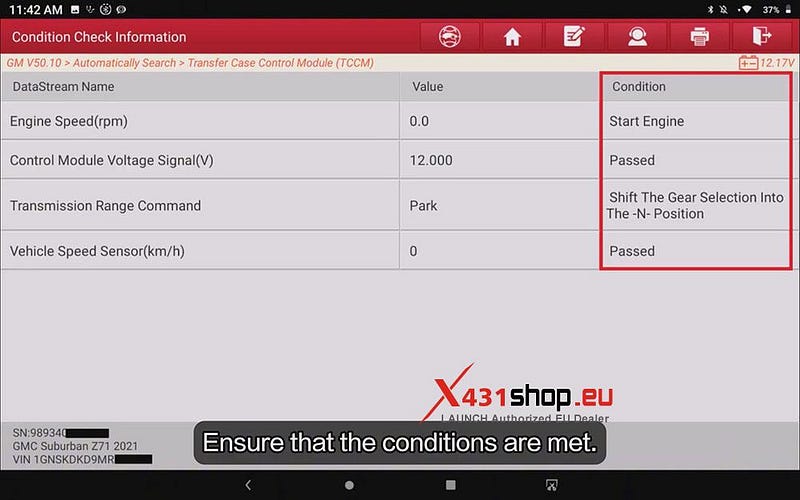
5) Ensure that the conditions listed in the red box are met.
NOTE: Usually, you only need to start the engine and shift the gear selection to the -N- position.
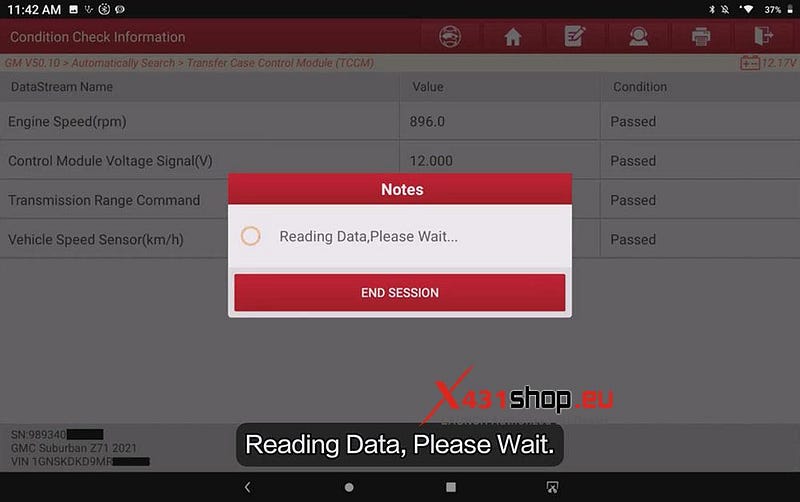
6) Once the conditions are met, the X431 tool will automatically read data. Please wait.
7) Before the function reset, the status is "None". Click [Reset].
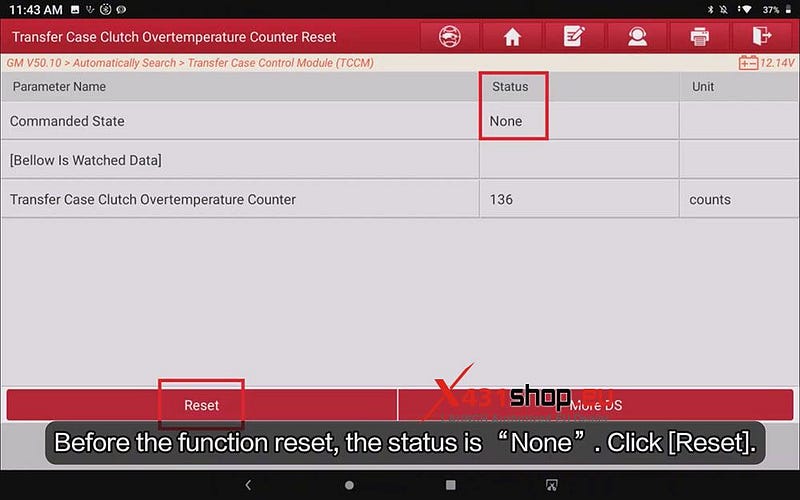
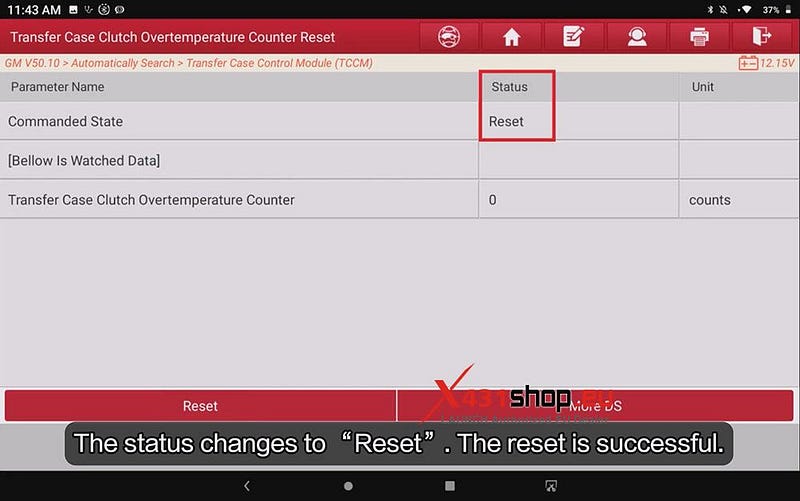
8) The status changes to "Reset". The reset is successful.


Comments
Post a Comment