How to Use LAUNCH CR329: Operating Manual for DIYers
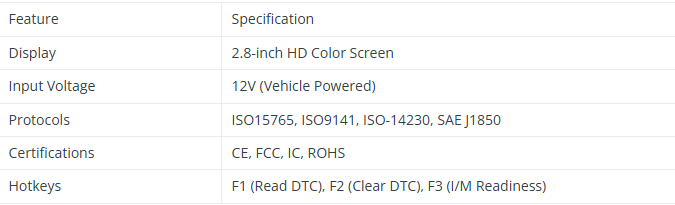
The LAUNCH Creader 329 is a professional-grade, entry-level OBD2 code reader designed specifically for passenger vehicle DIY enthusiasts and ecommerce markets. Featuring a 2.8-inch HD color screen and a user-friendly interface, it offers comprehensive diagnostics at your fingertips.

Key Features & Highlights
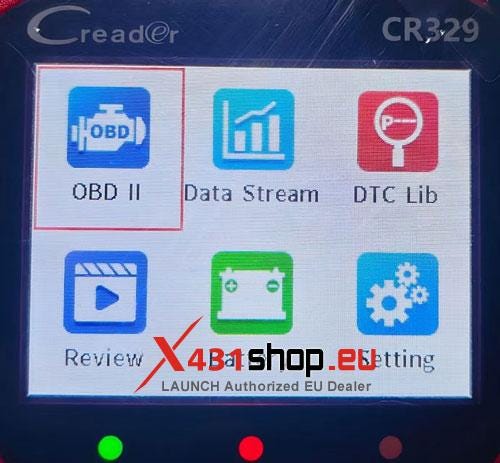
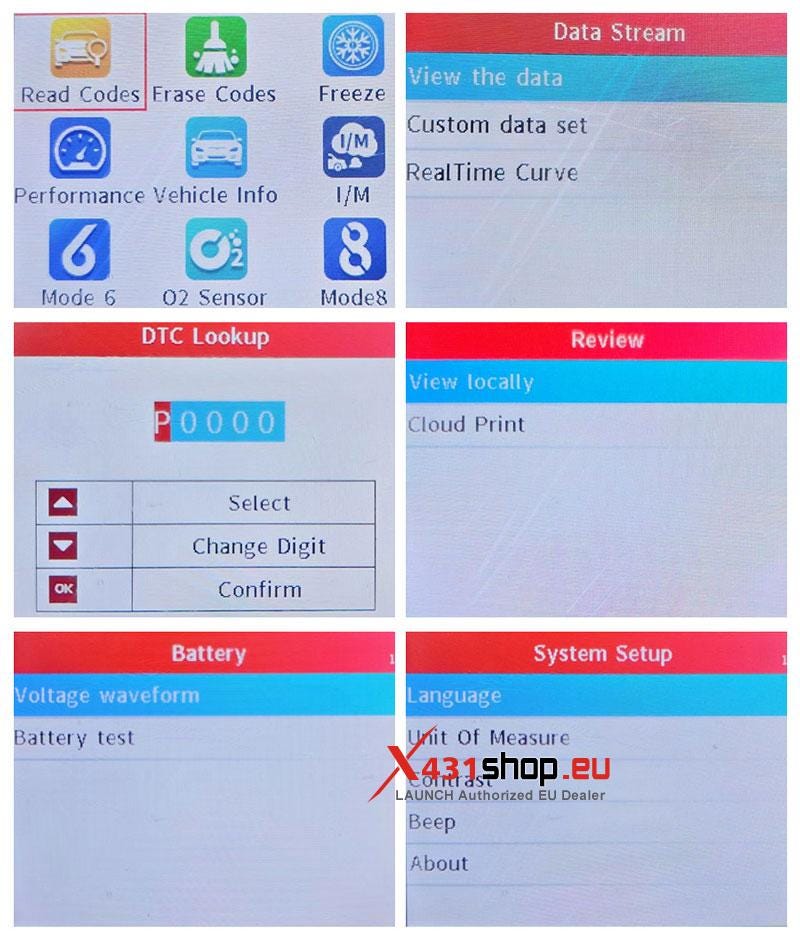
- Full OBDII Functions: Supports all 10 OBDII test modes, including reading/clearing codes and I/M readiness.
- Real-Time Data Visualization: View live data streams with real-time graphing and curves for precise diagnostics.
- Battery Health Check: Built-in battery voltage monitoring and waveform display to track battery performance.
- DTC Lookup Library: Instantly search for fault code definitions using the integrated database.
- Cloud Print Ready: Preview diagnostic reports and generate QR codes for easy cloud printing.
- Multi-Language Support: Operates in 10 languages, including English, French, Spanish, German, and Russian.
Technical Specifications

Quick Start Guide: 4 Easy Steps
LAUNCH CR329 is designed for "Plug-and-Play" simplicity. Follow these steps to start diagnosing:
- Locate the DLC: Find your vehicle’s Data Link Connector (DLC) port, usually located under the dashboard on the driver’s side.
- Connect: Plug the CR329 diagnostic cable into the OBDII port. The device will power on automatically.
- Ignition ON: Turn the vehicle ignition to the "ON" position (engine can be off or running).
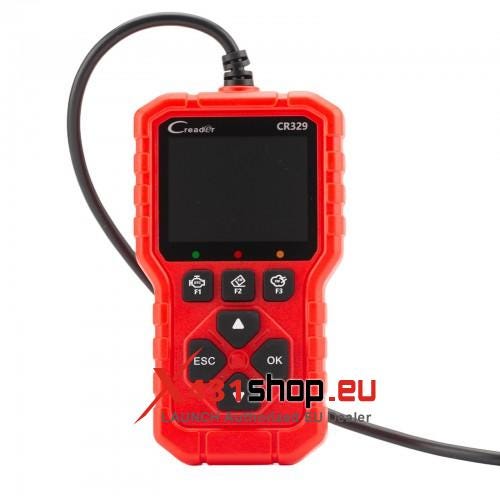
- Diagnose: Use the navigation keys or Hotkeys (F1, F2, F3) to quickly read codes, clear faults, or check emission readiness.

Understanding Status Indicators
The CR329 features smart LED indicators for instant status updates:
- Green Light: Device and vehicle are successfully paired.
- Yellow Light: Potential protocol incompatibility detected.
- Red Light: Diagnostic Trouble Codes (DTCs) have been detected in the system.
Why Choose LAUNCH CR329?
Whether you are performing routine maintenance or troubleshooting a "Check Engine" light, the LAUNCH Creader 329 provides the speed and accuracy of a professional tool in a portable, affordable package. Its robust build and intuitive "One-Click" functions make it the perfect companion for every car owner.


Comments
Post a Comment