How to Repair LAUNCH SmartLink Firmware (2 Methods)
LAUNCH SmartLink not only supports various vehicle protocols (such as DoIP and CAN), but also allows technicians to remotely assist with diagnostics. If a SmartLink device malfunctions, firmware repair can be attempted first. This article will introduce two methods for LAUNCH SmartLink firmware repair.
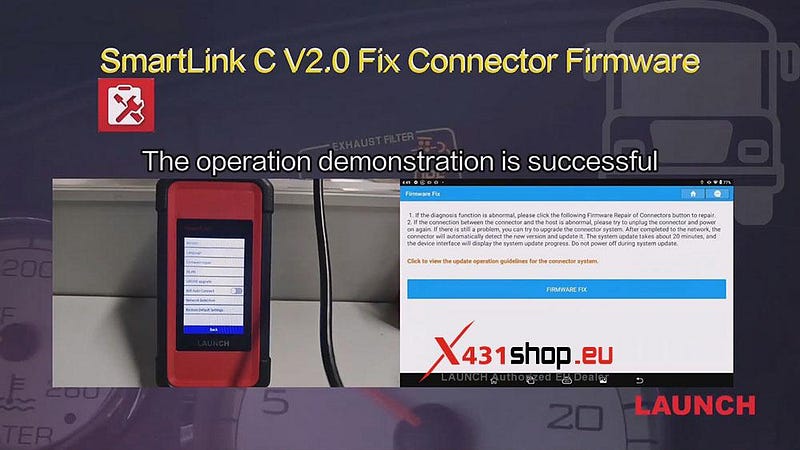
Method 1: Perform the repair directly on SmartLink
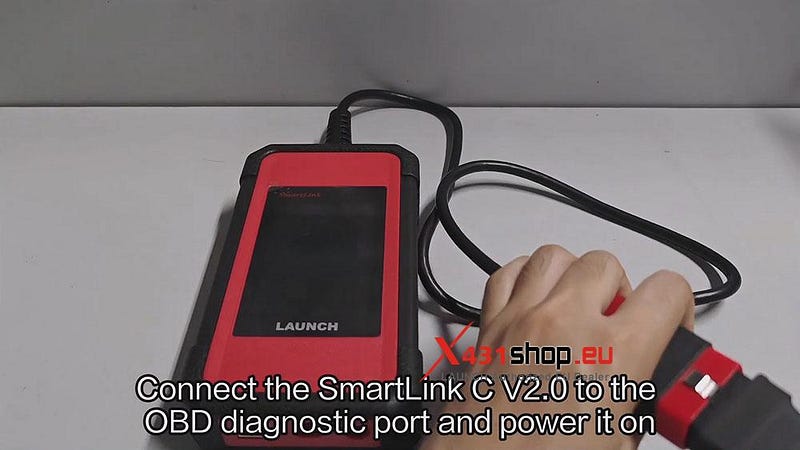
1) Connect the SmartLink C V2.0 to the OBD diagnostic port and power it on. Waiting for the computer to boot up.
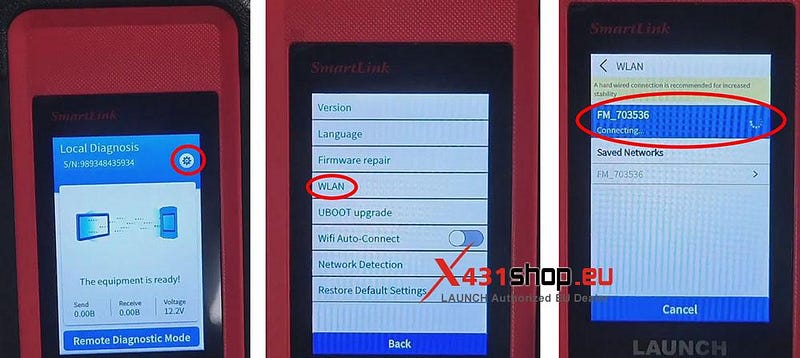
2) First, ensure a network connection:
Click the settings icon in the upper right corner, select [WLAN], choose a network, and connect.
3) After configuring the network connection, perform the repair: Click the settings icon in the upper right corner, select [Firmware repair] -> [Star Repair]. Just wait for the upgrade to complete.
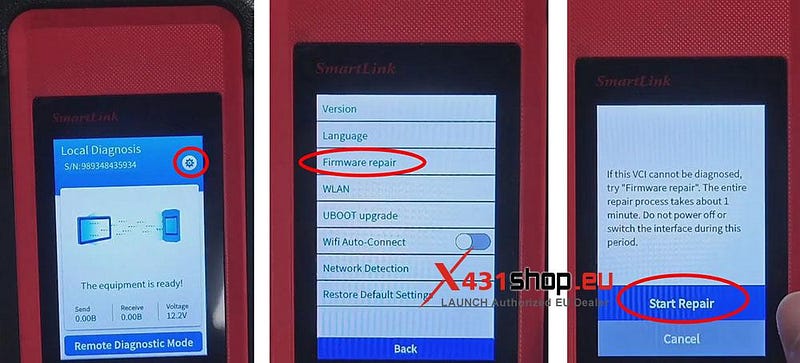
Alternatively, you can use a network cable directly, which allows you to skip network settings and directly select [Firmware repair].
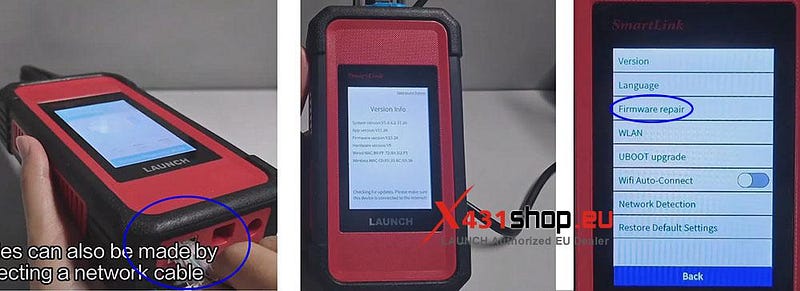
NOTE: LAUNCH SmartLink has two modes: "Local Diagnostic Mode" and "Remote Diagnostic Mode". Please perform firmware repair in Local Diagnostic Mode.
Method 2: Connect SmartLink to the X431 diagnostic tool for repair.
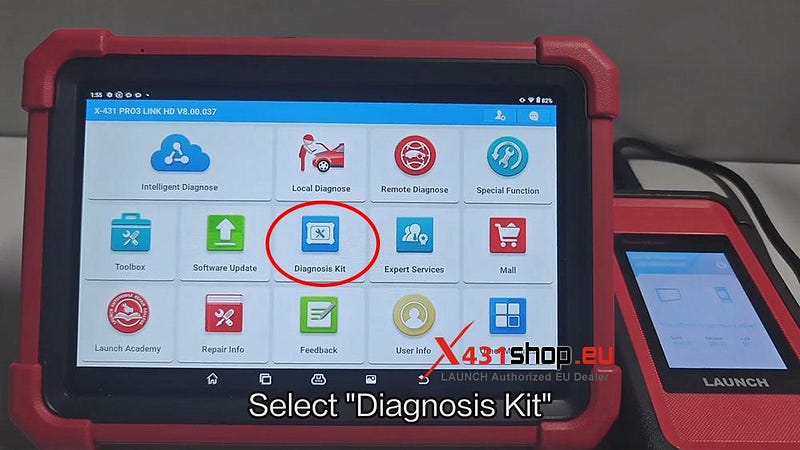
1) Connect SmartLink to the X431 diagnostic tool. On the X431 APP, select [Diagnosis Kit] -> [Fix Connector Firmware].
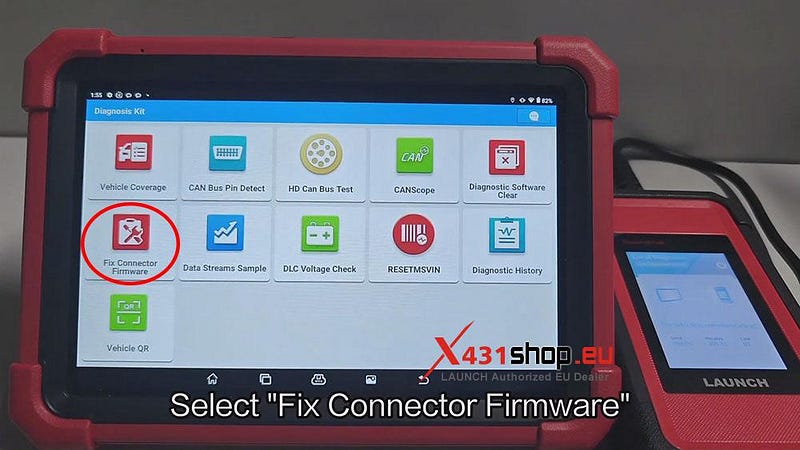
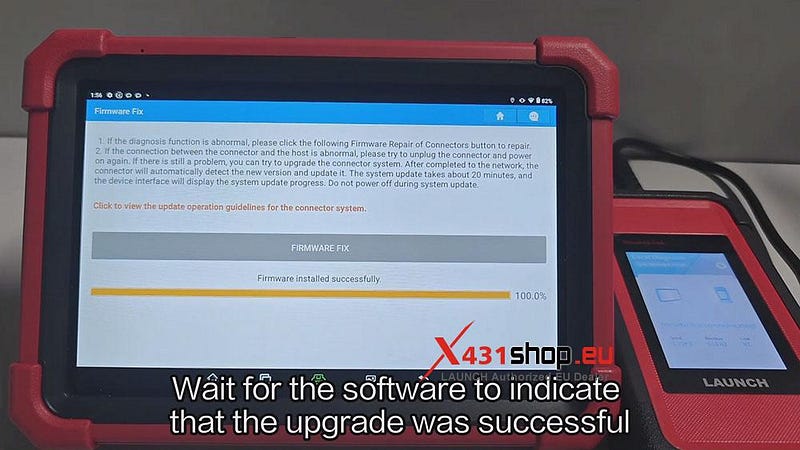
2) Click [FIRMWARE FIX]. The main unit will connect to SmartLink C V2.0 via Bluetooth.

3) Wait for the software to indicate that the upgrade was successful.


Comments
Post a Comment