LAUNCH X431 PAD V ELITE: Injector Adaptation on FIAT Pulse
If your vehicle experiences idling vibrations or weak acceleration while driving, it may be due to a problem with the fuel injectors. Replacing the fuel injectors may require resetting them using a diagnostic tool. This article will introduce how to use the LAUNCH X431 diagnostic tool to perform fuel injector matching on a 2024 FIAT Pulse.
Background Description: The function of vehicle fuel injectors is to atomize fuel, thereby improving combustion efficiency and reducing carbon buildup. Modern fuel injectors use ECU signals to control the opening and closing of solenoid valves, adjusting the fuel injection quantity according to engine operating conditions. In vehicles that have been driven for extended periods, fuel injectors are prone to clogging due to impurities in the fuel, necessitating cleaning or replacement.
Some vehicles use standardized injectors, requiring no additional operation after replacing the original injectors; the vehicle’s ECU will automatically recognize and adjust the injection quantity. However, some vehicles, such as high-performance cars, diesel cars, and hybrid cars, require module matching/ coding using diagnostic tools after injector replacement.
Function description: This program is performed when it is necessary to learn the injection adaptation values for FIAT.
NOTE: Performing diagnostics on FIAT vehicles manufactured after 2018 requires unlocking the FCA SGW. For instructions on purchasing and activating an FCA SGW license, please refer to:
http://blog.x431shop.eu/launch-x431-fca-sgw-activation-guide-2025-update/
Supported equipment: LAUNCH X431 PRO3 series, X431 PAD series.
Current equipment: LAUNCH X431 PAD V ELITE
Tested model: 2024 — Fiat — Pulse, VIN: 9BD363AVKRYS*****
Operating procedures:
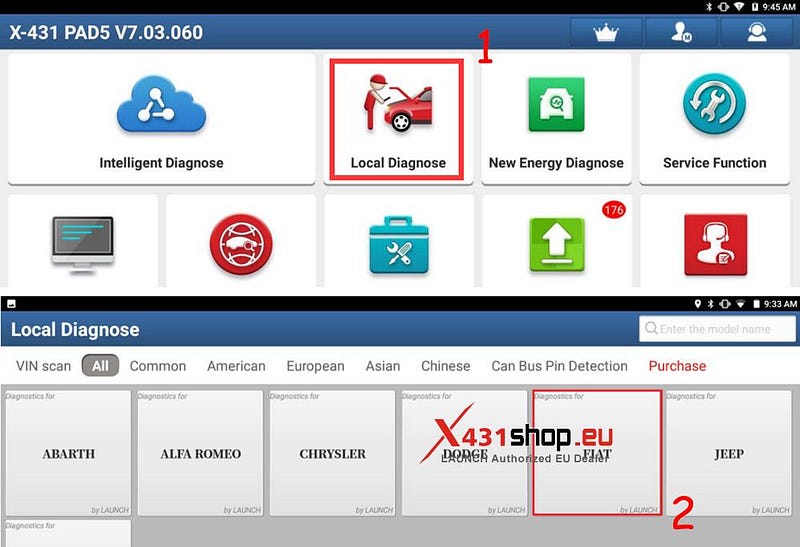
1. Connect the X431 PAD V ELITE to the vehicle’s OBD port and operate it on the PAD V: choose [Local Diagnose] -> [FIAT].
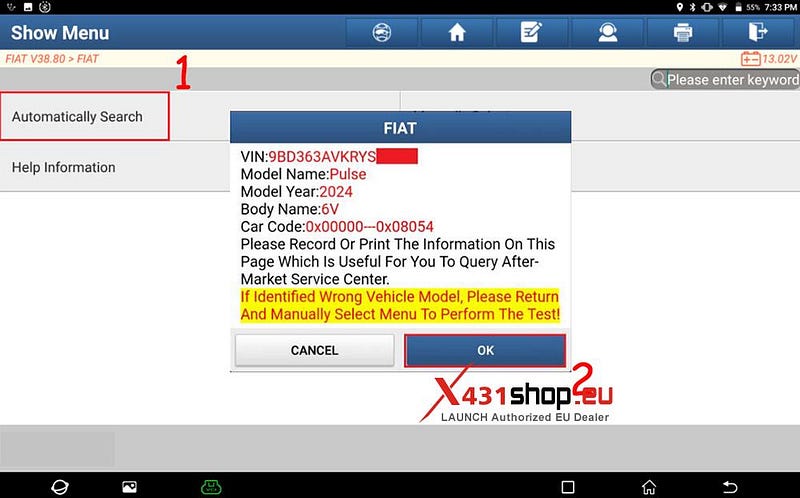
2. Choose [Automatically Search] to identify car models automatically. After the car model is successfully identified, click [OK].
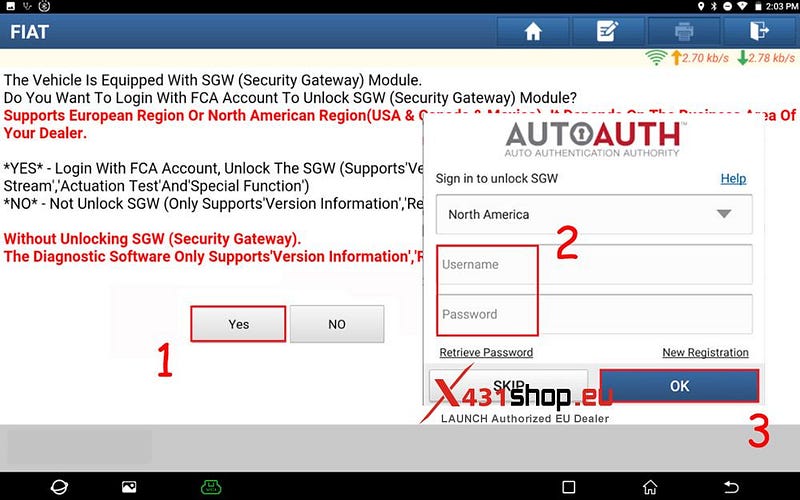
3. Choose [Yes] to unlock the SGW. Select your region, enter your account and password, and click [OK].
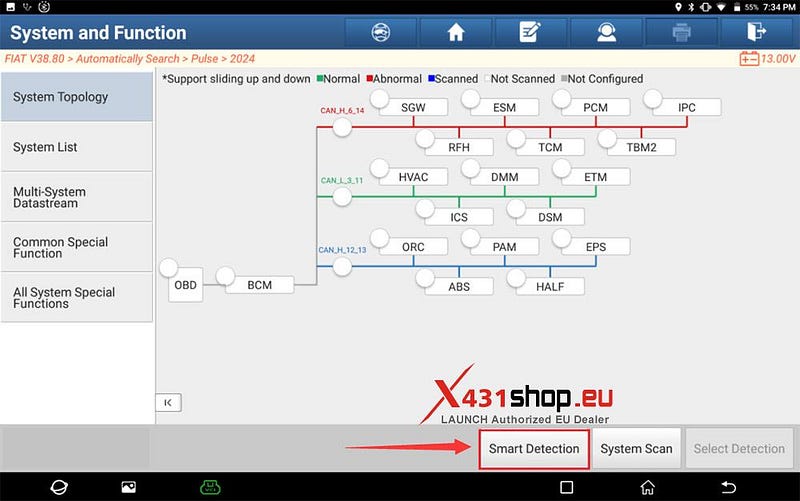
4. After successfully unlocking the SGW, click [Smart Detection] to scan the entire vehicle systems.
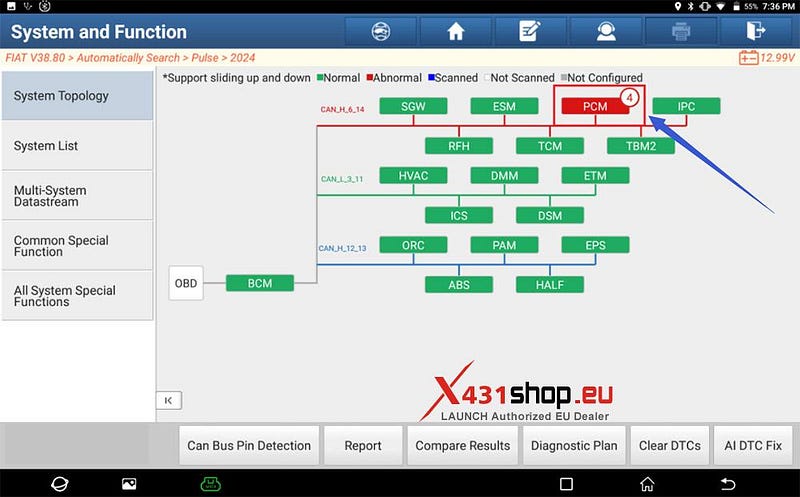
5. Click [PCM (Powertrain Control Module)] to access the system.
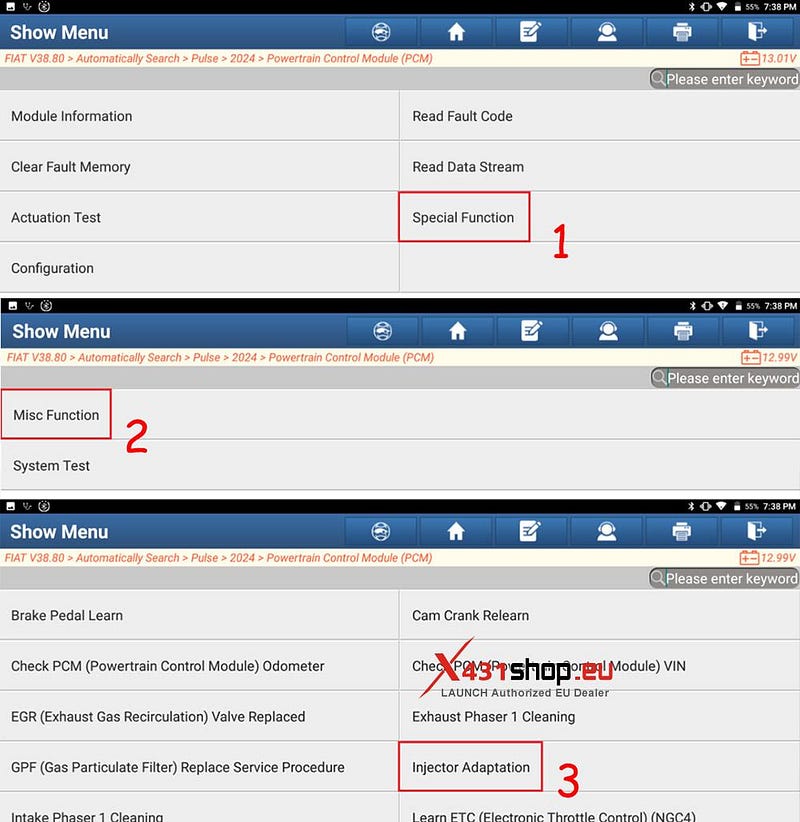
6. Click [Special Function] -> [Misc Function] -> [Injector Adaptation] in sequence.
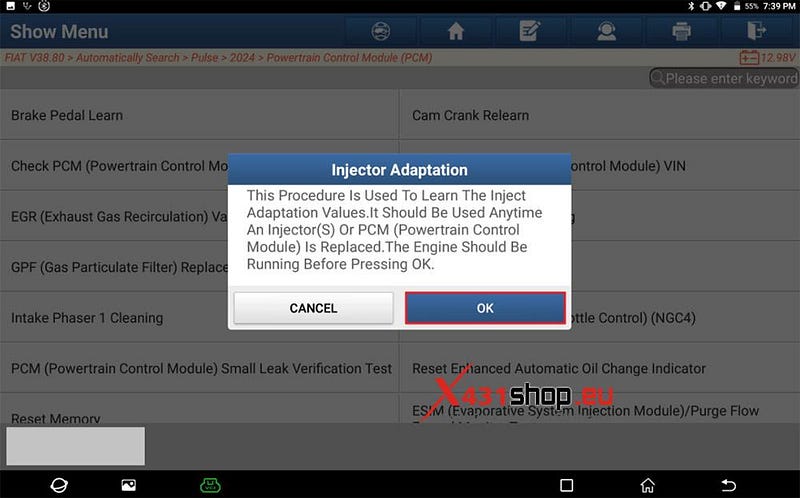
7. Follow the prompts: "The Engine Should Be Running Before Pressing [OK]".
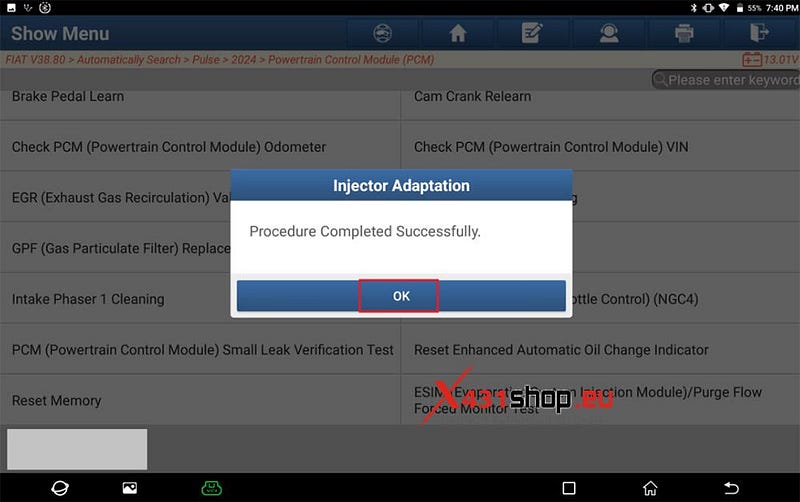
8. The device displays the message "Injector Adaptation: Procedure Completed Successfully". Click [OK]. Program execution is completed.


Comments
Post a Comment