LAUNCH X431 ECU Tool Replace Mercedes-Benz DSM Transmission
The LAUNCH X431 ECU tool can support cloning Mercedes-Benz 4th Generation DSM Transmission Computers. This article will describe how to perform this operation.
Function Introduction: Mercedes-Benz DSM Computer replacement (cloning).
Test Vehicle: Mercedes-Benz 4th Generation DSM Transmission Computer
Devices that support this function: LAUNCH X431 ECU & TCU Programmer / LAUNCH XPROG3 + PC Adaptor.
Operating procedures:
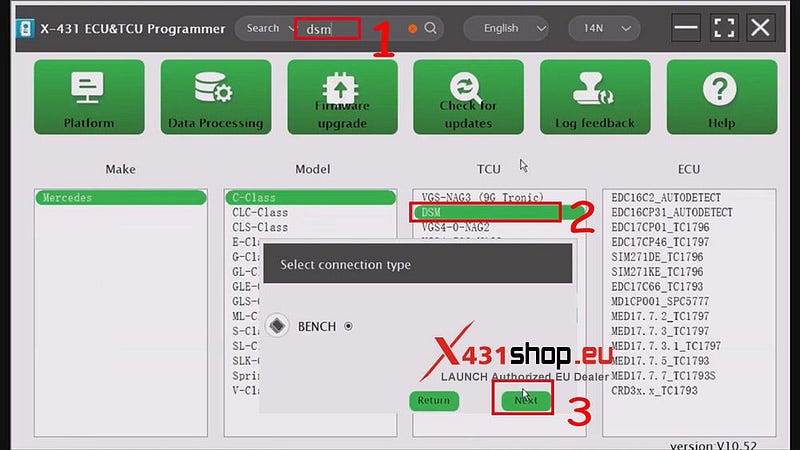
1. Open the LAUNCH X431 ECU software and enter "dsm" in the search bar.
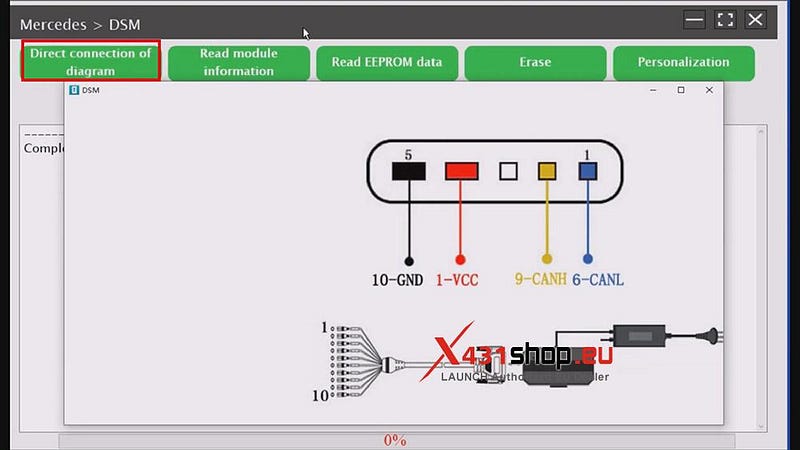
2. Click [Direct connection of diagram]. Connect the wires according to the displayed wiring diagram.
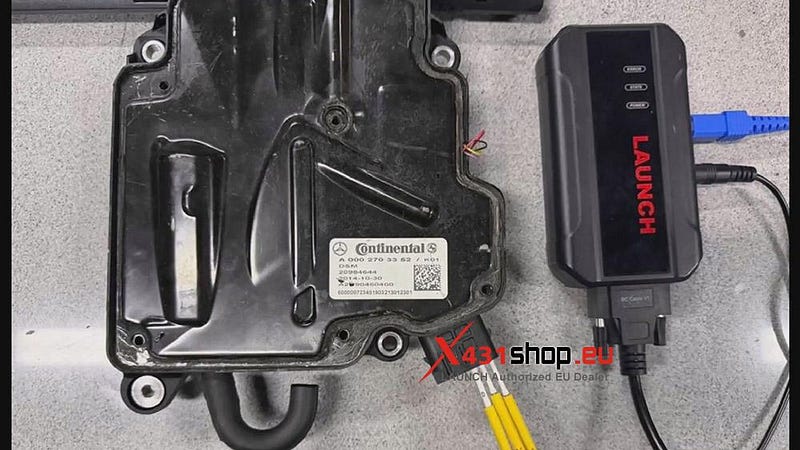

3. Click [Read module information], and after the information is read, click [Read EEPROM data].
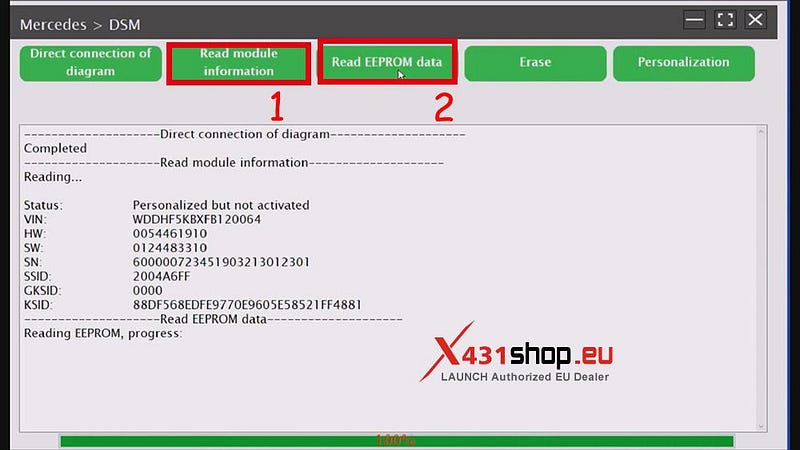
4. Save the read file.
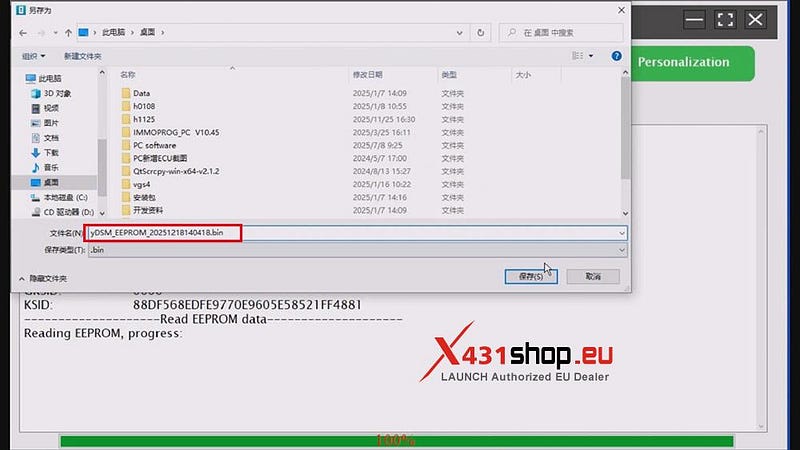
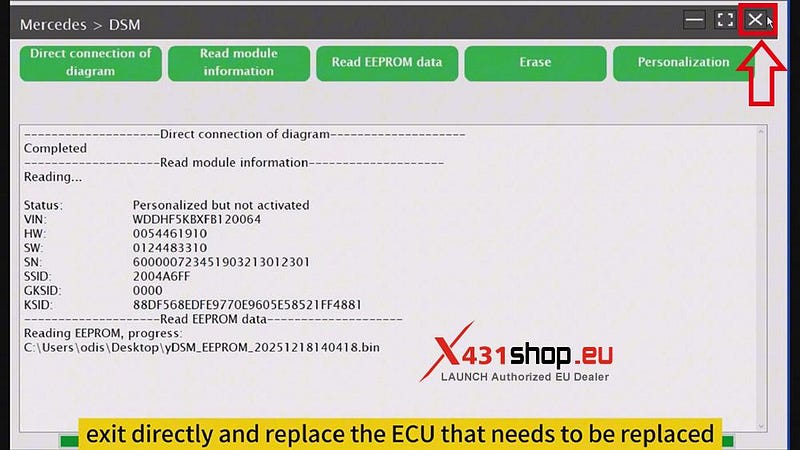
5. After reading the data, click the "Close Program" button in the upper right corner and replace the ECU that needs to be replaced, re-wiring.
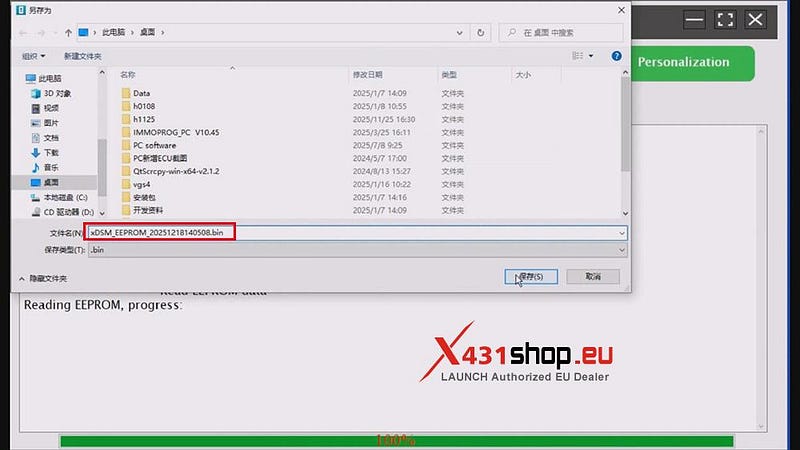
6. To avoid unrecoverable data loss after a write failure, we need to perform a backup. Perform the following steps: [Read module information] -> [Read EEPROM data], and save the file (with a different name than the previous file).
7. Next, we can begin writing down the data of the original car. Click [Personalization].

After the data is written successfully, the new ECU can be programmed and set after loading.


Comments
Post a Comment