Fix LAUNCH X431 PAD V fails to power on and repeatedly displays Logo
If the LAUNCH X431 diagnostic tool experiences an unexpected program interruption, it may damage system files. If your LAUNCH X431 diagnostic tool fails to boot up and is stuck in a continuous power cycle (turning off and on repeatedly) at the logo screen, you can try the following method to perform a factory reset.

Press and hold the power button for 3–5 seconds, then release it. Before the LAUNCH logo appears, quickly press the power button 5 times. This will enter engineering mode. In engineering mode, the power button acts as the confirmation button.
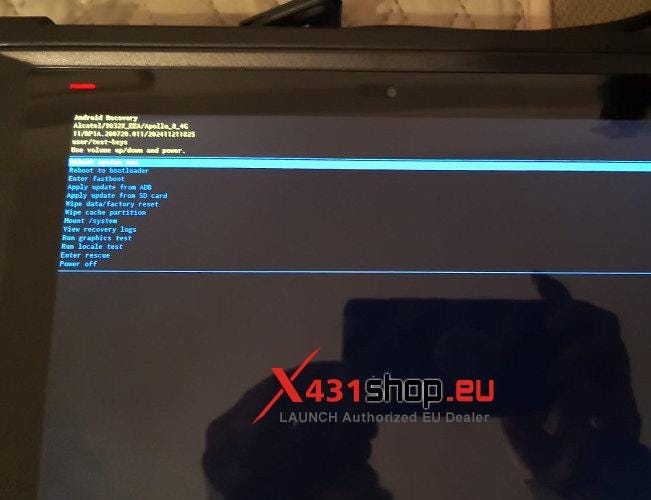
Select [Wipe data/factory reset] -> [Factory data reset]. This will reset the device to factory settings.


NOTE: After the device is reset to factory settings, you will need to log in again and download the software.


Comments
Post a Comment